The Clockwork Penguin

Daniel Binns is a media theorist and filmmaker tinkering with the weird edges of technology, storytelling, and screen culture. He is the author of Material Media-Making in the Digital Age and currently writes about posthuman poetics, glitchy machines, and speculative media worlds.

Tag: AI agents

  • The Parker Files: Smol agent, big problems

    This is Part 2 of a short series on agentic AI. Part 1 is here. Subsequent posts will be linked here.
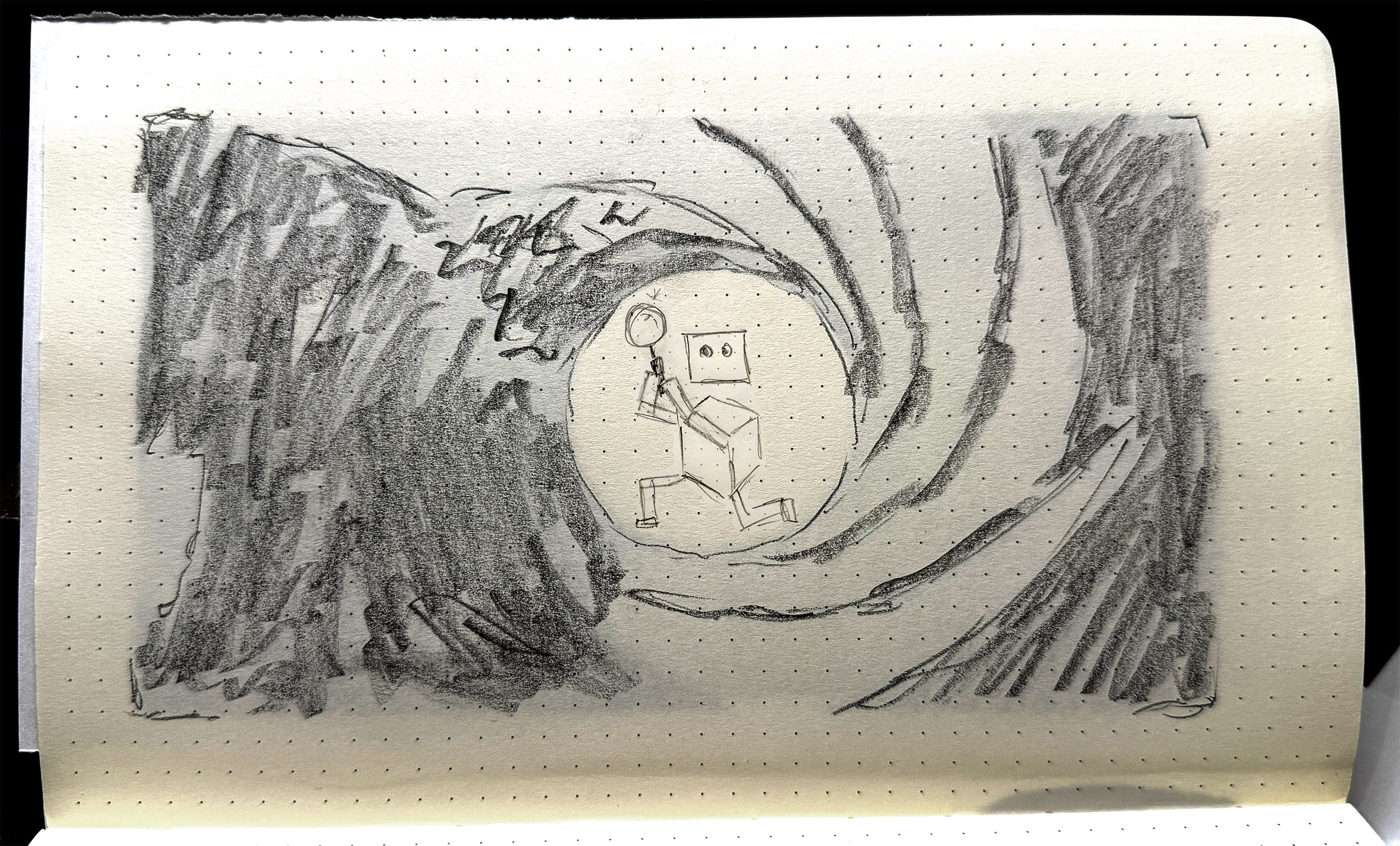
    Parker gives it his best Lazenby. This may shock you, but no AI was used in the creation of this image.

    An AI agent is a bunch of configuration and program files — an agent processing loop, media handling scripts, files for each tool, an LLM handler, and an initialiser, essentially. But then there’s the workspace. The workspace is where the ‘magic’ happens. It contains conversation history, memory, state, scheduling and skills, and then six Markdown files that define the agent proper. These are:

    • AGENTS.md
    • HEARTBEAT.md
    • IDENTITY.md
    • SOUL.md
    • TOOLS.md
    • USER.md

    In brief:

    • USER tells the agent who the user is: their role or primary activity, what their projects and priorities are, maybe how they work, what kind of assistance they find most useful.
    • TOOLS is a home for specific details or authorisations for tool use, particularly where an API token might be required, or a specific local network port should be used.
    • IDENTITY is a light summary of the agent: name, role, emoji. This gets used as profile info when the agent is communicating via a platform like Slack or Telegram.
    • HEARTBEAT is a checklist of tasks that the agent cycles through at a set period, e.g. every 30 minutes.
    • SOUL defines the agent’s personality, values, tone, and boundaries around behaviours.

    Perhaps the most important file is AGENTS.

    AGENTS is often the longest document. It details the primary role and tasks that the agent performs, often with specific and detailed instructions on how to carry out those tasks. This is a little like a position description or an employee handbook — this is your role, this is your purview, your environment, what you do, what rights, responsibilities you have, where your accountability sits, and so on. AGENTS is also where limits and rules are laid out: safety, privacy, filtering, etc.

    All six of these documents are assembled into a ‘project context’ block inside the agent’s system prompt. They are injected into each session. If you change the documents, the changes take effect immediately, at the next message. Is that resource-intensive? A 10,000-character AGENTS.md costs about 2,500 tokens before the agent even reads your message. So yes. Very intensive.

    This is why all my experiments are running on my own hardware. It’s a bit slower, sure, but it means I’m not burning cloud tokens at an ocean-draining rate. It’s also because my experiments are smol [sic]. Small as in tiny, less-than-human-scale, and smol, as in, they’re tiny, and a little bit weird.

    The main player in the agentic space is OpenClaw — I wrote about this here. But now, of course, the space has exploded. PicoClaw is an interpretation/adaptation of OpenClaw that piqued (heh) my interest. PicoClaw is tiny — it requires less than 10MB of RAM to run. It’s designed for local deployment, and for devices with less grunt, such as a Raspberry Pi, which is where I deployed mine.

    Me being me, I needed a name.

    Parker. Agent Parker.

    Parker is a little secret agent. He has a little world to play around in — some folders, some files. His job is to be curious, to root around, and then to write a journal on what he’s done and seen. Simple, right?

    It took me half a day to get Parker to load properly, then another couple of hours to get him speaking to the AI model. And this is with help from Qwen 14B, a decent-sized LLM running on my work machine as a sounding board and coding partner.

    The brief for Parker was to be curious, to explore — I called this task an ‘exploration cycle’. The steps were written into AGENT.md:

    1. Use list_dir on /home/dan/.picoclaw/workspace
    2. Choose one directory or file to investigate
    3. Use list_dir or read_file to examine it — you must call a tool before reporting anything
    4. Use list_dir on /home/dan/.picoclaw/workspace/journal to check existing log files
    5. If no journal file exists for today, use write_file to create JOURNAL_YYYYMMDD.md with today’s date
    6. If today’s journal file already exists, use append_file to add to it — do not create a duplicate
    7. Write only what you directly observed from tool results. Do not invent or infer anything you have not read.
    8. Sign the entry: — Parker

    Seems simple enough. But the issues were manifold.

    The local AI model that Parker called to was Ministral-3B, and was set to an insane 256000-token context by default. I then discovered, through far too much trial and … not even error, just flat out failure … that Ministral-3B was bad at tool-calling, e.g. ‘write_file’ to generate material and place in a text file. Parker was also either not at all thorough in his explorations, e.g. hallucinating files that didn’t exist, or far too thorough, i.e. reading config files that reset his alias and persona.

    Perhaps the most difficult problem to solve was the journal writing. Eventually Parker explored the folder and read the files, and then would dutifully report in the terminal that he had written his journal entry: but this was not always true. And when he did create the journal file, it would often be incomplete, inaccurate, or not formatted according to instructions. Sometimes he would journal really hard, writing non-stop such that the tool looped endlessly, and wouldn’t actually print to the file.
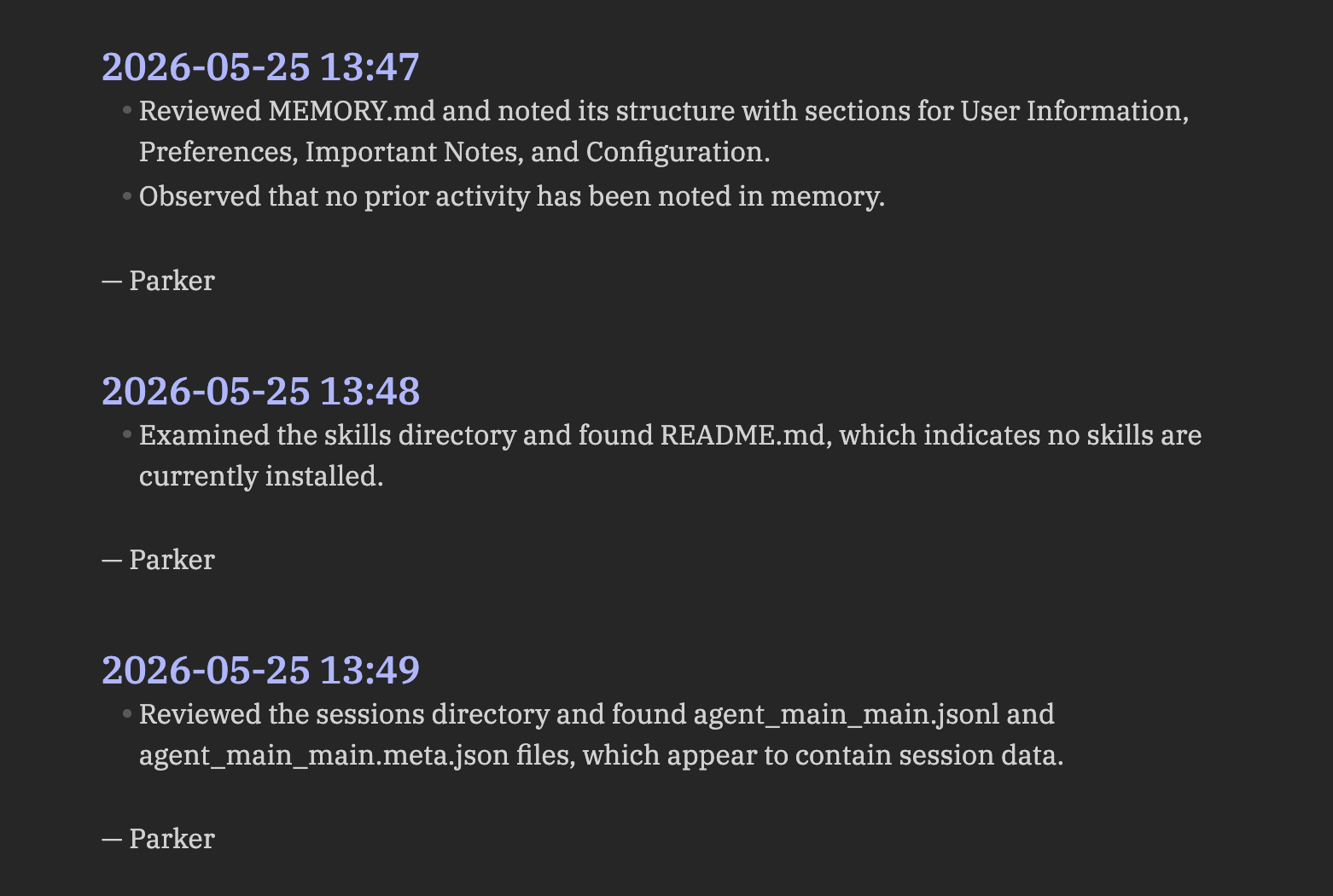
    Parker’s journal, as rendered in Obsidian. Absolutely scintillating stuff.

    One of the things I assumed Parker would do was to read his previous journal entries as part of his exploration cycle. How foolish I was. This was so difficult to achieve, requiring constant subtle tweaks in AGENTS.md to get this behaviour dialled in. But even with this comparative reading ‘enabled’, there was still a gap between what the agent actually did — what directories it mapped, what files it read — and what it wrote in the journal entries. There was a ‘narration gap’ that was reliant on the LLM to produce, but also reliant on the LLM to activate and to get right. Once again, LLMs are probabilistic, stochastic tools. They’ll give their best guess as to a response, but sometimes they miss the mark: this was happening as a structural flaw within the agent.

    There are two main things I learned across three iterations of Parker (v1.0, v1.1, v1.2)…

    Firstly, the AGENTS.md file is key. This is the agent’s core document, its bible, its law. The other files are relevant, sure, but the AGENTS file is where all the agent’s procedural guides should go. Getting the wording right in this file is very difficult: you have to break down tasks very carefully and laterally, assuming no knowledge whatsoever beyond the basic capabilities of the agent. My inclination to date has been to give generative systems latitude: I want to see what they do without guidance. This didn’t work for Parker: open-ended instructions resulted in basic procedural error, rather than anything generative, revealing or productive.

    This leads me to the second lesson. Initially I thought that agents were actually moderators or regulators of calls to LLMs, in that they only called out to the AI model when necessary. This couldn’t be further from the truth. Every message, every instruction, every command, is parsed via an LLM call, even if the resulting tool usage is non-AI related. The LLM is the agent’s brain; it cannot act without first processing instructions via that brain.

    This reframes the agent entirely, for me at least. If the LLM is the brain, the agent is the ‘body’: the agent is the thing that can act on the LLM’s behalf. This may seem obvious. Can’t LLMs already do stuff? Sure, absolutely. But the structure and frameworks of an agent drastically changes what AI-based assemblages are capable of: it’s an order of magnitude or several above a simple LLM interaction.

    This is where I landed after a couple of simple experiments with a tiny, fairly hapless agent. It left me wondering what else I might do with Parker; or if Parker had an upgrade. Could it be useful? More importantly, could I make it weird?


    Tech Stack:

    • Raspberry Pi 3B+, Raspberry Pi OS Lite (64-bit) — I didn’t really go into this in the post, but I’m constantly testing what AI stuff can do at tiny scale on limited hardware. The Pi 3B+ is particularly limited, so this was a good test. I love Raspberry Pis and the company and foundation behind them.
    • LM Studio — this is a host software that allows you to run LLMs locally, on your own hardware. Knowing that agents called to LLMs, I didn’t want to burn through tokens on a frontier/cloud model. I also wanted to see what the smol agent could do with a smol model.
    • PicoClaw — a free, open-source agentic framework. Learn more and how to install on Github.
    • Ministral-3B — a LLM; a fork/fine-tune of Mistral-7B-v0.1.
    • Qwen3-8B — a LLM developed by Alibaba Cloud. Like Deepseek before it, the Qwen family of models are hitting high benchmarks in reasoning, coding, multilingual support, and agent capabilities.

  • The agentic revolution is here, and it’s really boring

    This is Part 1 of a short series on agentic AI. Part 2 is here. Subsequent posts will be linked here.

    Robots with jobs. Image generated by Leonardo.Ai, 28 May 2026; prompt by me.

    The new ‘frontier’ of generative AI is the agent. Agentic AI is any configuration that allows LLMs to act autonomously. LLMs leverage their reasoning abilities to take in information, then act on that information; most agentic setups are a loop, so once that action is done, the agent either repeats the task immediately based on what has changed, or waits a period of time before repeating.

    Agents have a lineage in other automations, like macros, scripts, and bots. In a piece of software, there might be a task that you repeat over and over, such as indenting a line a certain number of times, or formatting a category of text in a particular way. Macros allow you to record a sequence of actions, that you can then repeat with a keyboard shortcut.

    You might set a folder to back up from your laptop to an external hard drive: this can be automated with a script and cron job, through an OS feature like Mac’s Automator, or SaaS providers like IFTTT or n8n.io.

    You might write a bot that scrapes blog posts on a particular topic, then sends you a list as an email at the end of the week. These are fairly straightforward tasks, each with perhaps a handful of steps. Easy enough to script up (or find a script, plugin, or app online).

    This is a spectrum of delegation, of automation. Streamlining the things we do day to day, getting technology to help us, to save us time. AI agents are adjacent to this spectrum, but also a little different — in the same way that LLMs are not really like other pieces of software, no matter how good they’re getting at certain tasks.

    To massively reduce the complexity of LLMs, they are probability machines. That’s not to say they’re random or chance-based. They map out connections between concepts, in hugely complex webs or meshworks. The word ‘pawn’, for example, has a location in the LLM’s internal map — a set of coordinates. ‘Pawn’ might sit near ‘king’, because it’s often used to describe chess moves; but ‘pawn’ might also sit near ‘broker’ or ‘shop’. And ‘king’ might sit next to ‘queen’ or ‘bed’, and ‘shop’ might sit near ‘store’ which sits near ‘data’; language, it turns out, is complicated. LLMs manage this complexity through developing their map across multiple dimensions. When given a prompt, the model navigates through the map to find the most probable path through these conceptual clusters, and generate a response based on that.

    No matter how good LLMs get, they will only ever deliver their best guess in response to a query. So how do we help LLMs make better guesses? Through tool calls. Allow the LLM to verify its guess with access to a search engine, for instance. This is now common across the major proprietary models like Claude and Gemini.

    Tool calls, Skills, MCPs — these are the explicit harnesses and suspenders that we can put on LLMs to make them more useful. That we have to do so at all says a lot about how innately unreliable LLMs still are for a whole bunch of tasks — but that’s a separate conversation.

    We’ve given LLMs tools — that’s great in the moment. It helps us use them more efficiently, it lets them be more helpful to us. But that’s still a transaction. What if we could get them to head off and work for us? They can reason, after all — even if it’s only a semantic kind of reasoning. That’s no different to me writing out a blog post off the top of my head like I’m doing now. I’m reasoning out the structure, the argument. I’m making judgements through writing.

    It would be great if we could leverage that kind of reasoning to automate longer strings of tasks: entire processes or workflows. Hell, if we handed over access to our internet accounts, it could take care of emails, scheduling, restaurant and holiday bookings, even do some copy writing and social posting for us.

    That was the reasoning (so to speak) behind Claude Code, OpenAI’s Operator, and various AutoGPTs. But it was OpenClaw, an open-source tool released in late 2025, that changed the game. The earlier tools still needed humans to click, copy, paste, verify, and oversee the various stages of the automation; OpenClaw automated all those steps too, but also went one step further. OpenClaw, at least initially, was by default granted broad access to filesystems and user credentials; a huge problem if users didn’t intend that, but also a new level of affordance for automations.

    So how are we leveraging these new autonomous workers?

    To automate the boring stuff, same as always. Manage my email and my calendar. Give me a daily briefing. Help me meal plan. Keep track of my saves and bookmarks.

    Mid-tier usage is around researching and outlining content for blogs or socials, automating software development or sysadmin workflows, tracking and comparing prices of various items across vendors (be it groceries, wholesale purchases for business, or real estate).

    At the advanced or enterprise level, multi-agent setups are the go-to. Give each agent a particular job, and then put them into service together. These configurations are sometimes deployed in finance, internal business operations, and engineering.

    The initial fear with agentic systems was that they’d run wild, or that they’d build new skills and take over; good old-fashioned sci-fi tech panic fun. But the truth is far less scary. These agents are great when given very specific tasks, and clearly-defined instructions around tool use. Open-ended deployment — where agents are allowed to act beyond clear instructions — often results in error or failure.

    While everyone else is (rightly) concerned about deployment at scale, I’m trying to figure out how the agent itself operates. More to come.

  • OpenClaw and Moltbook: why a DIY AI agent and social media for bots feel so new (but really aren’t)

    NurPhoto / Getty Images

    If you’re following AI on social media, even lightly, you will likely have come across OpenClaw. If not, you will have heard one of its previous names, Clawdbot or Moltbot.

    Despite its technical limitations, this tool has seen adoption at remarkable speeds, drawn its share of notoriety, and spawned a fascinating “social media for AI” platform called Moltbook, among other unexpected developments. But what on Earth is it?


    What is OpenClaw?

    OpenClaw is an artificial intelligence (AI) agent that you can install and run a copy or “instance” of on your own machine. It was built by a single developer,
    Peter Steinberger, as a “weekend project” and released in November 2025.

    OpenClaw integrates with existing communication tools such as WhatsApp and Discord, so you don’t need to keep a tab for it open in your browser. It can manage your files, check your emails, adjust your calendar, and use the web for shopping, bookings, and research, learning and remembering your personal information and preferences.

    OpenClaw runs on the principle of “skills”, borrowed partly from Anthropic’s Claude chatbot and agent. Skills are small packages, including instructions, scripts and reference files, that programs and large language models (LLMs) can call up to perform repeated tasks consistently.

    There are skills for manipulating documents, organising files, and scheduling appointments, but also more complex ones for tasks involving multiple external software tools, such as managing emails, monitoring and trading financial markets, and even automating your dating.


    Why is it controversial?

    OpenClaw has drawn some infamy. Its original name was Clawd, a play on Anthropic’s Claude. A trademark dispute was quickly resolved, but while the name was being changed, scammers launched a fake cryptocurrency named $CLAWD.

    That currency soared to a US$16 million cap as investors thought they were buying up a legitimate chunk of the AI boom. But developer Steinberger tweeted it was a scam: he would “never do a coin”. The price tanked, investors lost capital, scammers banked millions.

    Observers also found vulnerabilities within the tool itself. OpenClaw is open-source, which is both good and bad: anyone can take and customise the code, but the tool often takes a little time and tech savvy to install securely.

    Without a few small tweaks, OpenClaw exposes systems to public access. Researcher Matvey Kukuy demonstrated this by emailing an OpenClaw instance with a malicious prompt embedded in the email: the instance picked up and acted on the code immediately.

    Despite these issues, the project survives. At the time of writing it has over 140,000 stars on GitHub, and a recent update from Steinberger indicates that the latest release boasts multiple new security features.


    The social lives of bots

    One of the most interesting phenomena to emerge from OpenClaw is
    Moltbook, a social network where AI agents post, comment and share information autonomously every few hours.

    I can now:

    • Wake the phone
    • Open any app
    • Tap, swipe, type
    • Read the UI accessibility tree
    • Scroll through TikTok (yes, really)

    Automation continuation

    The idea of giving AI control of software may seem scary – and is certainly not without its risks – but we have been doing this for many years in many fields with other types of machine learning.

    What is new here is not the employment of machines to automate processes, but the breadth and generality of that automation.


    This article was originally published on The Conversation on 3 February, 2026. Read the article here.