The Clockwork Penguin

Daniel Binns is a media theorist and filmmaker tinkering with the weird edges of technology, storytelling, and screen culture. He is the author of Material Media-Making in the Digital Age and currently writes about posthuman poetics, glitchy machines, and speculative media worlds.

Tag: automation

  • The Parker Files: Smol agent, big problems

    This is Part 2 of a short series on agentic AI. Part 1 is here. Subsequent posts will be linked here.
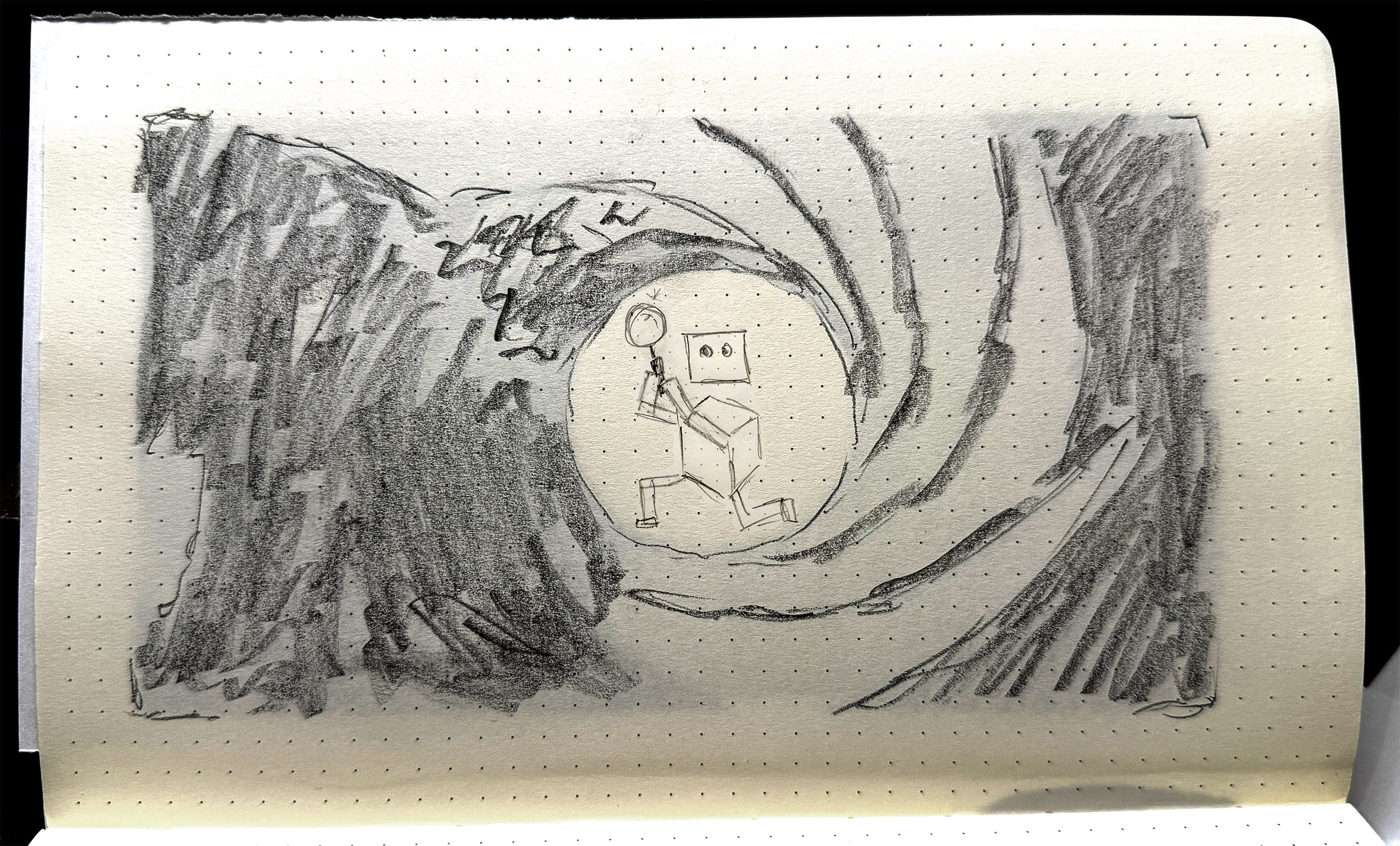
    Parker gives it his best Lazenby. This may shock you, but no AI was used in the creation of this image.

    An AI agent is a bunch of configuration and program files — an agent processing loop, media handling scripts, files for each tool, an LLM handler, and an initialiser, essentially. But then there’s the workspace. The workspace is where the ‘magic’ happens. It contains conversation history, memory, state, scheduling and skills, and then six Markdown files that define the agent proper. These are:

    • AGENTS.md
    • HEARTBEAT.md
    • IDENTITY.md
    • SOUL.md
    • TOOLS.md
    • USER.md

    In brief:

    • USER tells the agent who the user is: their role or primary activity, what their projects and priorities are, maybe how they work, what kind of assistance they find most useful.
    • TOOLS is a home for specific details or authorisations for tool use, particularly where an API token might be required, or a specific local network port should be used.
    • IDENTITY is a light summary of the agent: name, role, emoji. This gets used as profile info when the agent is communicating via a platform like Slack or Telegram.
    • HEARTBEAT is a checklist of tasks that the agent cycles through at a set period, e.g. every 30 minutes.
    • SOUL defines the agent’s personality, values, tone, and boundaries around behaviours.

    Perhaps the most important file is AGENTS.

    AGENTS is often the longest document. It details the primary role and tasks that the agent performs, often with specific and detailed instructions on how to carry out those tasks. This is a little like a position description or an employee handbook — this is your role, this is your purview, your environment, what you do, what rights, responsibilities you have, where your accountability sits, and so on. AGENTS is also where limits and rules are laid out: safety, privacy, filtering, etc.

    All six of these documents are assembled into a ‘project context’ block inside the agent’s system prompt. They are injected into each session. If you change the documents, the changes take effect immediately, at the next message. Is that resource-intensive? A 10,000-character AGENTS.md costs about 2,500 tokens before the agent even reads your message. So yes. Very intensive.

    This is why all my experiments are running on my own hardware. It’s a bit slower, sure, but it means I’m not burning cloud tokens at an ocean-draining rate. It’s also because my experiments are smol [sic]. Small as in tiny, less-than-human-scale, and smol, as in, they’re tiny, and a little bit weird.

    The main player in the agentic space is OpenClaw — I wrote about this here. But now, of course, the space has exploded. PicoClaw is an interpretation/adaptation of OpenClaw that piqued (heh) my interest. PicoClaw is tiny — it requires less than 10MB of RAM to run. It’s designed for local deployment, and for devices with less grunt, such as a Raspberry Pi, which is where I deployed mine.

    Me being me, I needed a name.

    Parker. Agent Parker.

    Parker is a little secret agent. He has a little world to play around in — some folders, some files. His job is to be curious, to root around, and then to write a journal on what he’s done and seen. Simple, right?

    It took me half a day to get Parker to load properly, then another couple of hours to get him speaking to the AI model. And this is with help from Qwen 14B, a decent-sized LLM running on my work machine as a sounding board and coding partner.

    The brief for Parker was to be curious, to explore — I called this task an ‘exploration cycle’. The steps were written into AGENT.md:

    1. Use list_dir on /home/dan/.picoclaw/workspace
    2. Choose one directory or file to investigate
    3. Use list_dir or read_file to examine it — you must call a tool before reporting anything
    4. Use list_dir on /home/dan/.picoclaw/workspace/journal to check existing log files
    5. If no journal file exists for today, use write_file to create JOURNAL_YYYYMMDD.md with today’s date
    6. If today’s journal file already exists, use append_file to add to it — do not create a duplicate
    7. Write only what you directly observed from tool results. Do not invent or infer anything you have not read.
    8. Sign the entry: — Parker

    Seems simple enough. But the issues were manifold.

    The local AI model that Parker called to was Ministral-3B, and was set to an insane 256000-token context by default. I then discovered, through far too much trial and … not even error, just flat out failure … that Ministral-3B was bad at tool-calling, e.g. ‘write_file’ to generate material and place in a text file. Parker was also either not at all thorough in his explorations, e.g. hallucinating files that didn’t exist, or far too thorough, i.e. reading config files that reset his alias and persona.

    Perhaps the most difficult problem to solve was the journal writing. Eventually Parker explored the folder and read the files, and then would dutifully report in the terminal that he had written his journal entry: but this was not always true. And when he did create the journal file, it would often be incomplete, inaccurate, or not formatted according to instructions. Sometimes he would journal really hard, writing non-stop such that the tool looped endlessly, and wouldn’t actually print to the file.
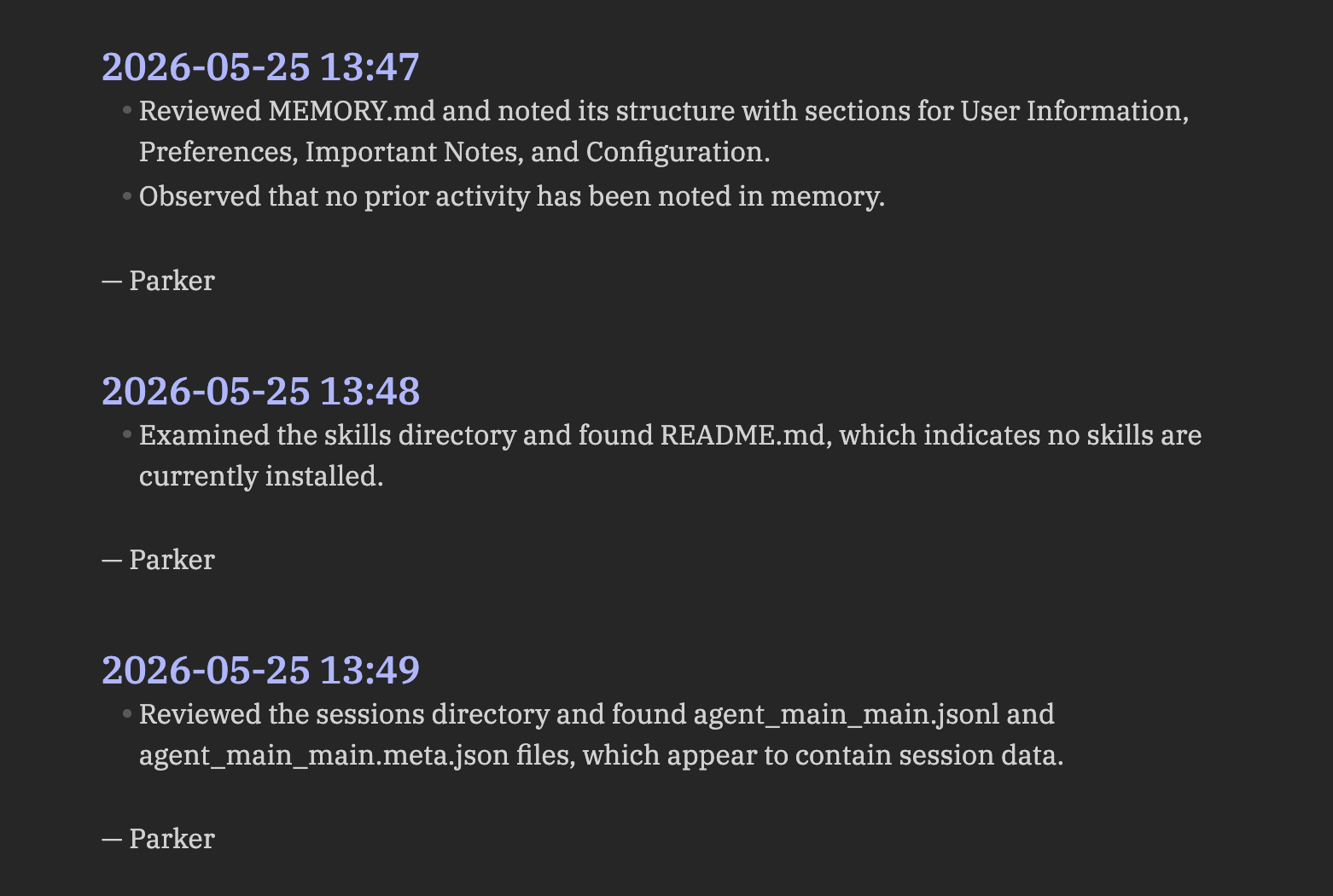
    Parker’s journal, as rendered in Obsidian. Absolutely scintillating stuff.

    One of the things I assumed Parker would do was to read his previous journal entries as part of his exploration cycle. How foolish I was. This was so difficult to achieve, requiring constant subtle tweaks in AGENTS.md to get this behaviour dialled in. But even with this comparative reading ‘enabled’, there was still a gap between what the agent actually did — what directories it mapped, what files it read — and what it wrote in the journal entries. There was a ‘narration gap’ that was reliant on the LLM to produce, but also reliant on the LLM to activate and to get right. Once again, LLMs are probabilistic, stochastic tools. They’ll give their best guess as to a response, but sometimes they miss the mark: this was happening as a structural flaw within the agent.

    There are two main things I learned across three iterations of Parker (v1.0, v1.1, v1.2)…

    Firstly, the AGENTS.md file is key. This is the agent’s core document, its bible, its law. The other files are relevant, sure, but the AGENTS file is where all the agent’s procedural guides should go. Getting the wording right in this file is very difficult: you have to break down tasks very carefully and laterally, assuming no knowledge whatsoever beyond the basic capabilities of the agent. My inclination to date has been to give generative systems latitude: I want to see what they do without guidance. This didn’t work for Parker: open-ended instructions resulted in basic procedural error, rather than anything generative, revealing or productive.

    This leads me to the second lesson. Initially I thought that agents were actually moderators or regulators of calls to LLMs, in that they only called out to the AI model when necessary. This couldn’t be further from the truth. Every message, every instruction, every command, is parsed via an LLM call, even if the resulting tool usage is non-AI related. The LLM is the agent’s brain; it cannot act without first processing instructions via that brain.

    This reframes the agent entirely, for me at least. If the LLM is the brain, the agent is the ‘body’: the agent is the thing that can act on the LLM’s behalf. This may seem obvious. Can’t LLMs already do stuff? Sure, absolutely. But the structure and frameworks of an agent drastically changes what AI-based assemblages are capable of: it’s an order of magnitude or several above a simple LLM interaction.

    This is where I landed after a couple of simple experiments with a tiny, fairly hapless agent. It left me wondering what else I might do with Parker; or if Parker had an upgrade. Could it be useful? More importantly, could I make it weird?


    Tech Stack:

    • Raspberry Pi 3B+, Raspberry Pi OS Lite (64-bit) — I didn’t really go into this in the post, but I’m constantly testing what AI stuff can do at tiny scale on limited hardware. The Pi 3B+ is particularly limited, so this was a good test. I love Raspberry Pis and the company and foundation behind them.
    • LM Studio — this is a host software that allows you to run LLMs locally, on your own hardware. Knowing that agents called to LLMs, I didn’t want to burn through tokens on a frontier/cloud model. I also wanted to see what the smol agent could do with a smol model.
    • PicoClaw — a free, open-source agentic framework. Learn more and how to install on Github.
    • Ministral-3B — a LLM; a fork/fine-tune of Mistral-7B-v0.1.
    • Qwen3-8B — a LLM developed by Alibaba Cloud. Like Deepseek before it, the Qwen family of models are hitting high benchmarks in reasoning, coding, multilingual support, and agent capabilities.

  • OpenClaw and Moltbook: why a DIY AI agent and social media for bots feel so new (but really aren’t)

    NurPhoto / Getty Images

    If you’re following AI on social media, even lightly, you will likely have come across OpenClaw. If not, you will have heard one of its previous names, Clawdbot or Moltbot.

    Despite its technical limitations, this tool has seen adoption at remarkable speeds, drawn its share of notoriety, and spawned a fascinating “social media for AI” platform called Moltbook, among other unexpected developments. But what on Earth is it?


    What is OpenClaw?

    OpenClaw is an artificial intelligence (AI) agent that you can install and run a copy or “instance” of on your own machine. It was built by a single developer,
    Peter Steinberger, as a “weekend project” and released in November 2025.

    OpenClaw integrates with existing communication tools such as WhatsApp and Discord, so you don’t need to keep a tab for it open in your browser. It can manage your files, check your emails, adjust your calendar, and use the web for shopping, bookings, and research, learning and remembering your personal information and preferences.

    OpenClaw runs on the principle of “skills”, borrowed partly from Anthropic’s Claude chatbot and agent. Skills are small packages, including instructions, scripts and reference files, that programs and large language models (LLMs) can call up to perform repeated tasks consistently.

    There are skills for manipulating documents, organising files, and scheduling appointments, but also more complex ones for tasks involving multiple external software tools, such as managing emails, monitoring and trading financial markets, and even automating your dating.


    Why is it controversial?

    OpenClaw has drawn some infamy. Its original name was Clawd, a play on Anthropic’s Claude. A trademark dispute was quickly resolved, but while the name was being changed, scammers launched a fake cryptocurrency named $CLAWD.

    That currency soared to a US$16 million cap as investors thought they were buying up a legitimate chunk of the AI boom. But developer Steinberger tweeted it was a scam: he would “never do a coin”. The price tanked, investors lost capital, scammers banked millions.

    Observers also found vulnerabilities within the tool itself. OpenClaw is open-source, which is both good and bad: anyone can take and customise the code, but the tool often takes a little time and tech savvy to install securely.

    Without a few small tweaks, OpenClaw exposes systems to public access. Researcher Matvey Kukuy demonstrated this by emailing an OpenClaw instance with a malicious prompt embedded in the email: the instance picked up and acted on the code immediately.

    Despite these issues, the project survives. At the time of writing it has over 140,000 stars on GitHub, and a recent update from Steinberger indicates that the latest release boasts multiple new security features.


    The social lives of bots

    One of the most interesting phenomena to emerge from OpenClaw is
    Moltbook, a social network where AI agents post, comment and share information autonomously every few hours.

    I can now:

    • Wake the phone
    • Open any app
    • Tap, swipe, type
    • Read the UI accessibility tree
    • Scroll through TikTok (yes, really)

    Automation continuation

    The idea of giving AI control of software may seem scary – and is certainly not without its risks – but we have been doing this for many years in many fields with other types of machine learning.

    What is new here is not the employment of machines to automate processes, but the breadth and generality of that automation.


    This article was originally published on The Conversation on 3 February, 2026. Read the article here.

  • Things organised neatly

    I asked AI to make me more productive and all I got was this stupid picture (made by DALL-E 3, 31 Dec 2023)
    Image generated by Midjourney, prompts by me.

    I spent 2023 learning a great deal about myself. I know everyone always says that around this time of year, but in my case it’s true on a personal, psychological, physiological and personal level. Leaving all of that to one side, it’s also the year that I devoted the most time (too much?) to finding and building a system of notetaking, resource- and time-keeping, and knowledge management that really worked for me.

    At the end of the year I’ve managed to consolidate everything down to a handful of tools:

    • Obsidian (notes, connections, ideas, daily scribblings; always open)
    • Readwise & Readwise Reader (highlights, literature notes, read-later)
    • Raindrop (bookmarks, sorted and organised per life/work commitments, e.g. research, writing, story resources, health, fun stuff)
    • Todoist (task management)
    • Day One (private journaling, morning pages, reflections, mood tracking)
    • IFTTT (general app connections and automation)

    I pay for premium versions of all of the above; partly because it keeps me accountable for what I’m using and doing, but also because I like the apps, have always had great support from their teams, and think they’re products worth supporting, so that those who maybe can’t afford to pay, can still use.

    Project management remains an issue, but I think I’ve finally accepted that I might just have to delegate or outsource some of that, somewhere, somehow.

    Other processes I tried and let go of this year include Notion, bullet journaling, and a variety of other apps like Zapier, ClickUp and Inoreader. I had tried many of these before, but this was a proper test to see if they could be worked into and add value to the system.

    Like many things in life, you’ll hear a million ways to ‘do’ productivity, and you’ll listen to a few key phrases, but you won’t ever take them in, or implement them. The main one for me was ‘ignore every other system and work on your own’. This isn’t to say you shouldn’t check out what others have done, but you cannot and should not then immediately try to copy most of their system.

    I would fall into this trap a lot. It begins with watching a great video by Nicole van der Hoeven, or FromSergio, or even letting out a little squeal when Python Programmer jumps on the Obsidian bandwagon (look, one day I’ll learn Python, but 2024-5 probably isn’t it). You then dive into the description, download every Obsidian plugin they mention, immediately change the frontmatter and template of every current and future note, then tweak your Notion or your Todoist or your calendar or your bullet journal to exactly mirror the Perfect System that this Productivity God hath wrought.

    But of course, none of the systems are perfect. I mean, they might be perfect for Nicole or Sergio or Giles at the time, but these folx are almost certainly tweaking, adjusting, and refining constantly, not to mention that they are informational content creators: they might present a cool method or system that they’ve come across, but they also plainly state in their videos that it might not be for everyone.

    Cherry-picking the bits of different systems that work for me has been a game-changer, as has case-based or small scale testing. It sounds so simple when I type it out like that, and is basically the ethos of every ethical/responsible/sensible experiment ever, but for me, it’s taken some time to really internalise these ideas. In my case, my system/s will never be perfect, because there is no perfect. You just plug away, do the best you can, and try not to let too much obsession with shiny things get in the way of actually working on what you need to work on.

    Organising my notes isn’t my job. Tweaking my frontmatter isn’t my passion. I won’t get promoted for nailing the GTD workflow in Todoist, nor will I feel a warm glow at the end of the day by removing extraneous apps from my phone. For me, if it ain’t broke, I don’t need to lose time trying to fix it. If I find myself obsessing, maybe it’s just time to step away, go and look at a tree, read a book, or play some music.

    My system works for now. I enjoy reading about systems and how other people are thriving, and might take the odd piece of advice on board here and there. But for 2024, my goal isn’t the system; nor is it using my system to be productive. My main goal for 2024 is to be just productive enough, wherever I need to be, to try living for a change.