The Clockwork Penguin

Daniel Binns is a media theorist and filmmaker tinkering with the weird edges of technology, storytelling, and screen culture. He is the author of Material Media-Making in the Digital Age and currently writes about posthuman poetics, glitchy machines, and speculative media worlds.

Tag: technology

  • Operation Tech Revival, Part 3

    Read Part 1 here, and Part 2 here.

    Obligatory artfully-cropped stock photo of a completely different Macbook model to the one discussed in this post. Photo by Math on Pexels.com.

    Part 3: Give me my MacBook back, Mac.

    2012 was a big year. The motherland had the Olympics and Liz’s Diamond Jubilee; elsewhere, the Costa Concordia ran aground; Curiosity also made landfall, but intentionally, on Mars; and online it was nothing but Konys, Gangnam Styles and Overly Attached Girlfriends as far as the eye could see.

    For me, I was well into my PhD, around the halfway mark; I’d also scaled back full-time media production work for that reason, and was picking up the odd shift at Video Ezy again. It was also the year that I upgraded to a late 2011 MacBook Pro. I think I had had one Macbook before then, possibly purchased in 2007-8; prior to this a Windows machine that was nicked from my inner west apartment around 2009, along with a lovely Sony Alpha camera (vale).

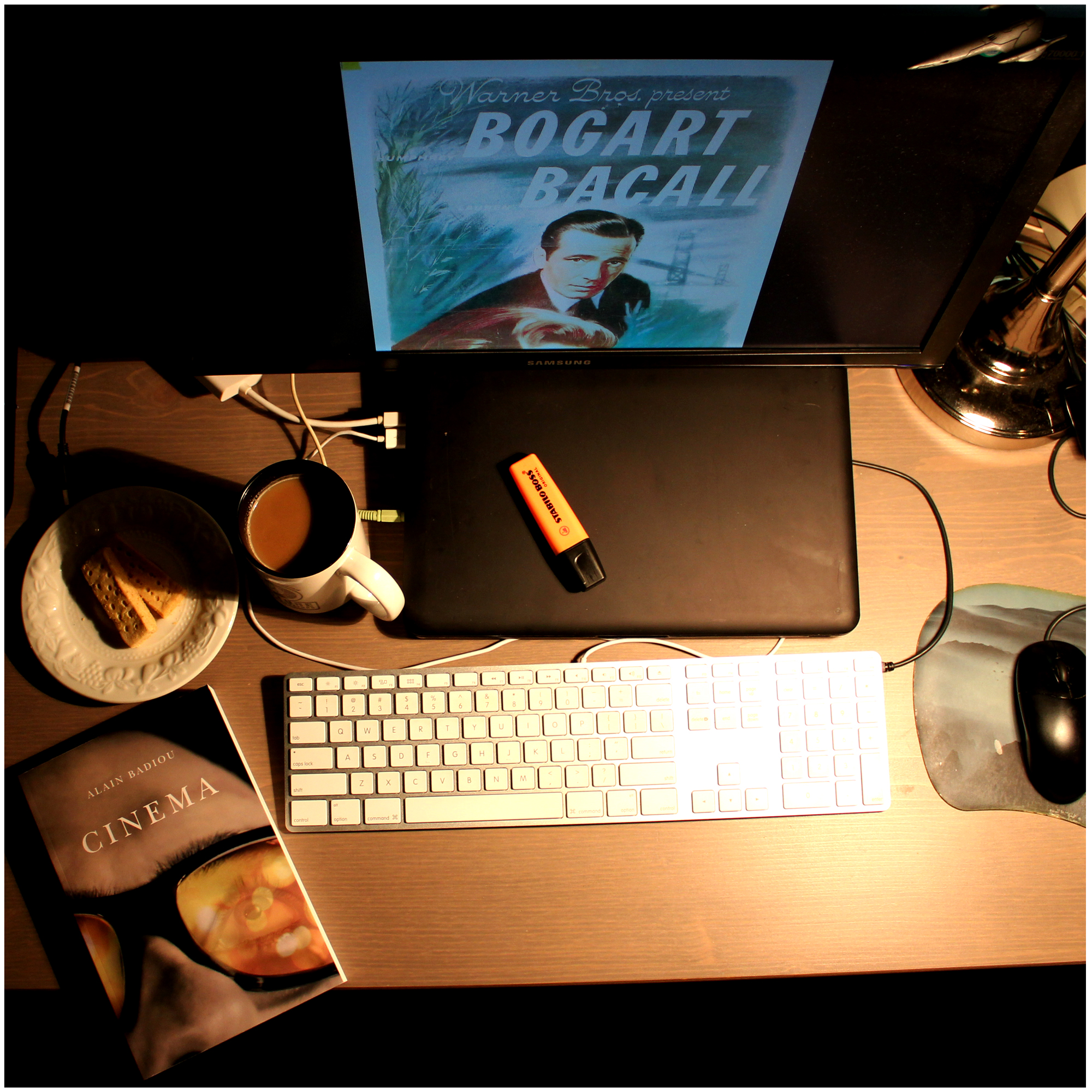
    I can’t believe this image persists on Flickr. Here’s the same machine, with its nice black suit on, in situ during the completion of said PhD!

    The 2011 MacBook served me well until early 2015, when I was given the first work machine, which I’m fairly sure was a late 2014 MBP. I tried to revive the 2011 machine once before, when my partner needed a laptop for study; however, when in early 2020 it took approximately 5 minutes to load a two-page PDF, we thought maybe it was time to put it away. For some reason though, I just held onto it, and it sat idle in the cupboard, until a week or two ago, when I caught myself thinking: what if…?

    So having more or less sorted the Raspberry Pi, I turned my attention to this absolute chunkster of a laptop. It’s amazing how the sizes and shapes of tech come in and out of vogue. The 2011 MBP is obviously heavier than the work laptop, but not by as much as you’d think (2.04kg vs. 1.6kg for my 2020 M1 machine), with roughly the same screen size. Obviously, though, the older model has much thicker housing (h2.4cm w32.5cm d22.7cm vs. h1.56 w30.41 d21.24cm). Anyway, some swift searching about (by myself but mainly by my best mate, who also has huge interest in older tech, both hardware and software) led to iFixIt, where a surprisingly small amount of money resulted in an all-in-one 500GB SSD upgrade kit arriving within a few days.

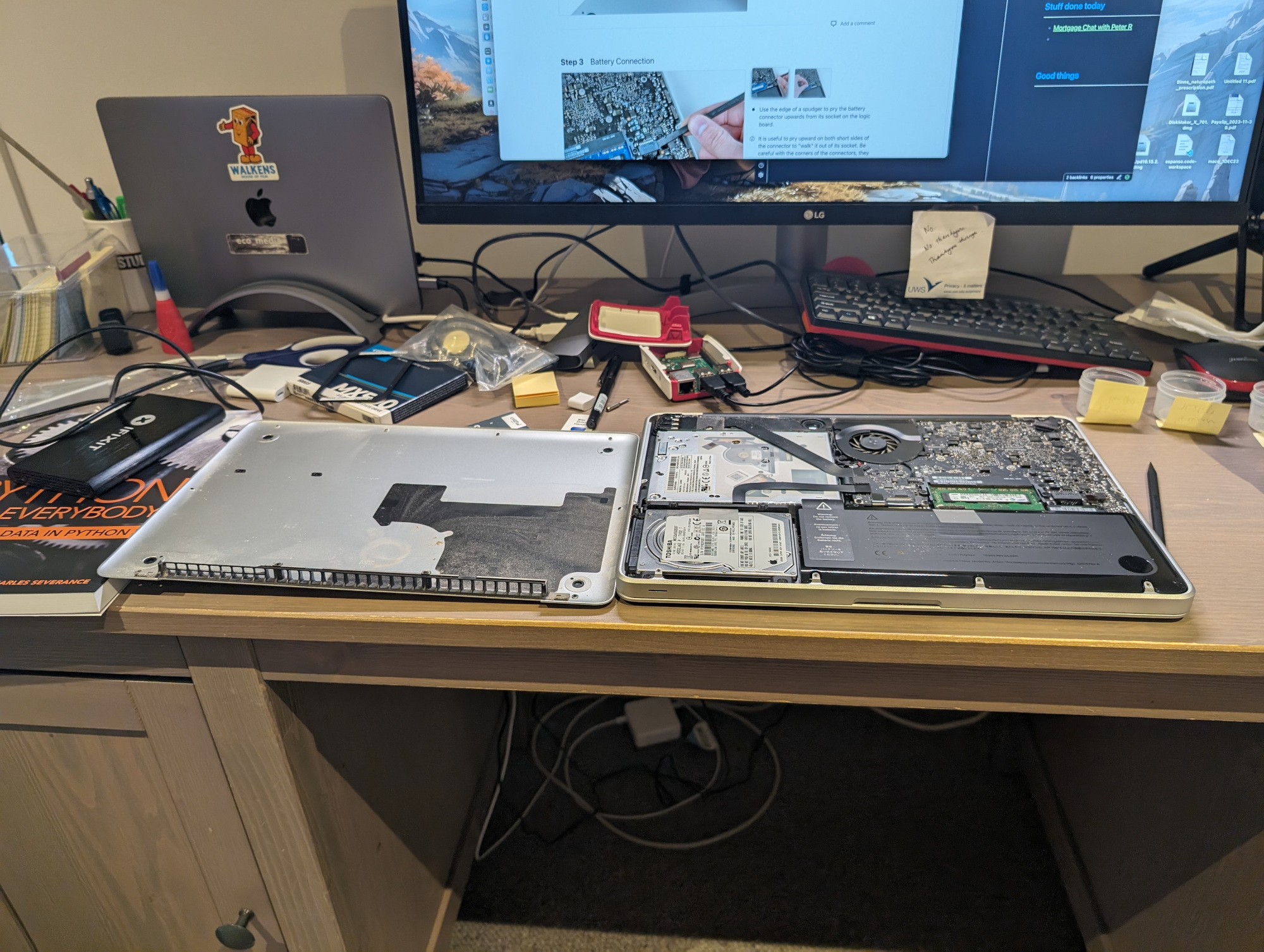
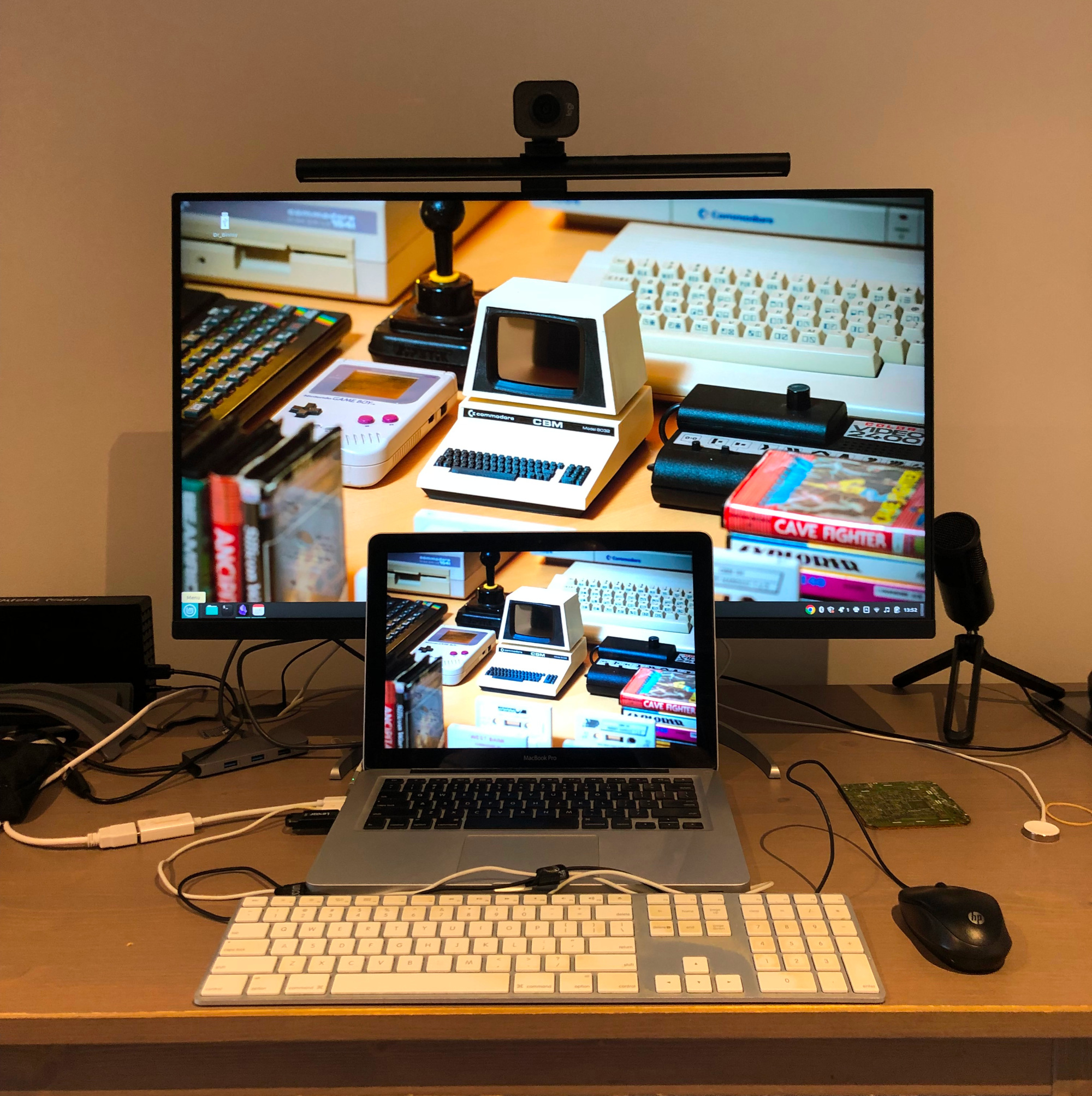
    I aspire to the perfect techbro desktop-fu. How did I do?

    I had some time to kill late last week, so I set about changing the hard drives. It was also the perfect opportunity to brush away many years of accumulated dust, and a can of compressed air took care of the trickier areas. With the help of tutorials and such, all of this took under half an hour. What filled the rest of the allotted time was sorting out boot disks for OS X. Internet Recovery was no-go at first, but with several failed attempts at downloading the appropriately agėd version, I tried once again. No good. Cue forum and Reddit diving for an hour or two, before finally obtaining what seemed to be the correct edition of High Sierra, without several probably-very-necessary security patches and so on.

    Anyway, I managed to boot up High Sierra off an ancient USB, got it installed on the SSD, and then very quickly realised that while the SSD certainly afforded greater speed than before, High Sierra was virtually unusable apart from the already installed apps and a browser. I knew I could probably try to upgrade to Mojave or maybe even Big Sur, but even with the SSD, I wasn’t sure how well it would run; and it was still tough to find usable images for those versions of macOS. But somewhere in my Reddit and forum explorations I’d seen that some had succeeded in installing Linux on their older machines, and that it had run as well and/or even better than whatever the latest macOS was that they could use.

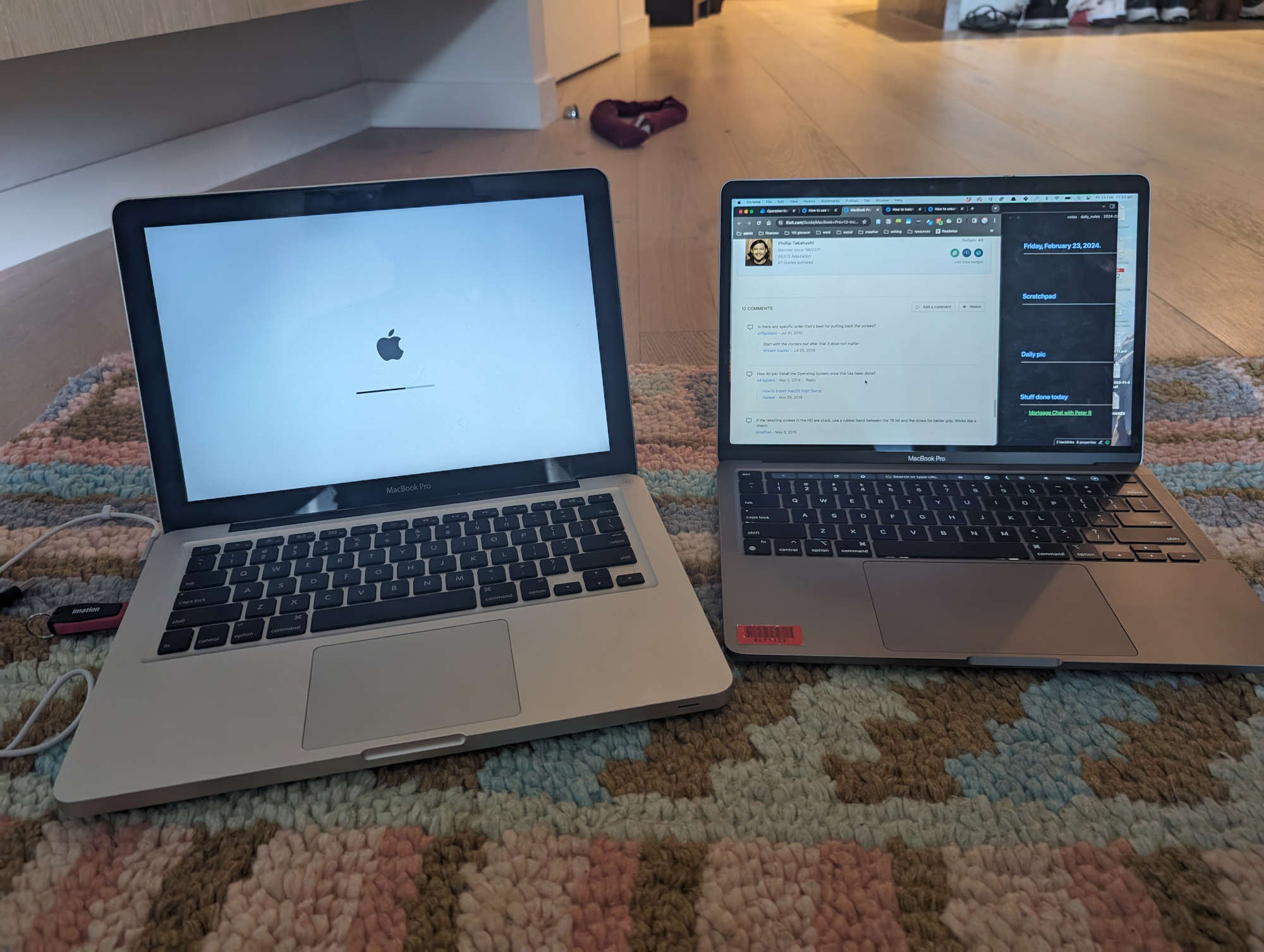
    Two laptops, both alike in backlit keyboard, on fair floor where we lay our scene.

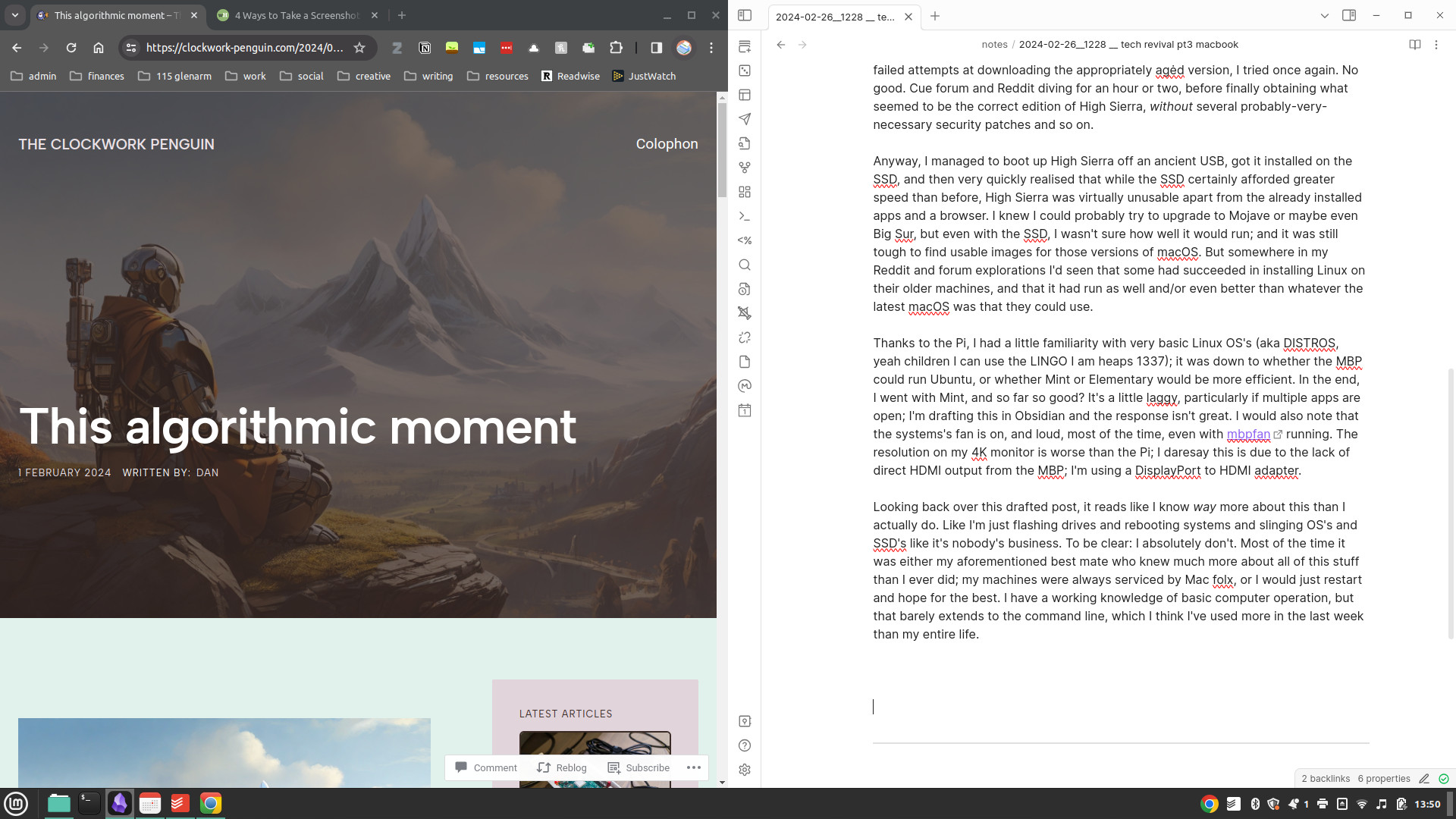
    Thanks to the Pi, I had a little familiarity with very basic Linux OS’s (aka DISTROS, yeah children I can use the LINGO I am heaps 1337); it was down to whether the MBP could run Ubuntu, or whether Mint or Elementary would be more efficient. In the end, I went with Mint, and so far so good? It’s a little laggy, particularly if multiple apps are open; I’m drafting this in Obsidian and the response isn’t great. I would also note that the systems’s fan is on, and loud, most of the time, even with mbpfan running. The resolution on my 4K monitor is worse than the Pi, of course, but this is due to the lack of direct HDMI output from the MBP; I’m using a Thunderbolt to HDMI adapter. That said, maybe I just have to tweak some settings.

    A glimpse behind the curtain.

    In the meantime, it’s been fun to play in a new OS; Mint feels very Windows-esque, though with some features that felt very intuitive to a longer-term Mac user. Being restricted to maybe a maximum of five apps running simultaneously means I have to be conscious of what I’m doing: this actually helps me plan my workspace and my worktime more carefully. I’m using this as a personal machine, so mostly for creative writing and blogging; in general, it affords more than enough power to do a little research, take notes, draft work. If there’s anything more complex, I’ll probably have to shift to the work machine, though I did clock ShotCut and GIMP being available for basic video/image work, and obviously there’s Audacity and similar for audio.

    Physically, the MBP sits flat on my desktop in front of the monitor. Eventually I will probably get a monitor arm, so it can slide back a little further. Swapping it out for my work machine isn’t too difficult; I just have to plug the HDMI into a USB-C dongle that permanently has a primary external drive, webcam and mic hooked up to it. Now that I think of it, my monitor probably has more than one HDMI input, so potentially I could just add a second HDMI cable to that arrangement and save a step. Something to try once this is posted! I’m still in a bit of cable hell, as well, due to just wanting the simplicity of plugging in a USB keyboard and mouse to the old Macbook; over the next week or two I’ll try to configure the Bluetooth accessories for bit more desktop breathing room.

    Behold the crisp image quality of the iPhone 8 (an old-tech story for another time…).

    Apart from these little tweaks, the only ‘major’ thing I want to tweak short-term is the Linux distro; it just feels like Mint Cinnamon may be pushing the system a little too hard. Mint does offer two lighter variants, MATE and Xfce, though I also did download Elementary and Ubuntu MATE. Mint MATE for the MBP, I reckon, and then maybe even Ubuntu MATE on the Pi. To be fair, though, most of the time the machine is struggling, I have Chrome open, so I could also just try a lighter browser, like one of your Chromiums or your Midoris.

    Looking back over this drafted post, it reads like I know way more about this than I actually do. Like I’m just flashing drives and rebooting systems and slinging OS’s and SSD’s like it’s nobody’s business. To be clear: I absolutely don’t. Most of the time it was either my aforementioned best mate who knew much more about all of this stuff than I ever did, or other tech-savvy friends or colleagues; my machines have always been repaired, maintained, serviced by Mac folx, or I would just restart and hope for the best. I have a working knowledge of basic computer operation, but that barely extends to the command line, which I think I’ve used more in the last week than across my entire life. As discussed here, I don’t really code either. Most of this, for me, is just trial and error; I guess my only ‘rules’ are reading up as much as I can on what’s worked/not for other people, and trying not to take too many unnecessary risks in terms of system security or hardware tinkering. The risk in this instance is also lessened by the passing of time: warranties are well out of date and thus won’t be voided by yanking out components.

    As a media/materialism scholar, I know conceptually/theoretically that sleek modern devices and the notion of ‘the cloud’ belies the awful truth about extractive practices, exploited workforces, and non-renewable materials. Reading and writing about it is one thing; to see the results of all of that very plainly laid out on your desk is quite another. One cannot ignore the reality of the tech industry and how damaging it has been and continues to be. In the same vein, though, I’m glad that these particular materials and components won’t be heading to landfills (or more hopefully, some kind of recycling centre) for a little while longer.

  • Operation Tech Revival, Part 2

    Read Part 1 here.

    Photo by Alessandro Oliverio on Pexels.com

    Part 2: Mmm, Pi.

    A few years back I bought a Raspberry Pi 3B+, with the intention of using it as a safe little sandbox for learning to code. I thought maybe I would buy up some components and make little robots or something, maybe a web server or the like. Who knows, one day I may still do all of these things (and/or continue learning Python, which I abandoned at about the Functions mark).

    The Pi was a fun little thing to boot up every now and again when my primary computer became too slow/overwhelmed through lockdowns, or when I became overwhelmed by to-do’s, notifications, projects, etc, on my work machine. It really only has enough juice to run a web browser with one or two tabs, or LibreOffice Writer for basic word processing/drafting.

    But I never really considered how the Pi might fit into my overall tech set-up, or whether it might actually be suitable as a regular machine at all.

    I’ve always been intrigued by people returning to simpler modes of engaging with tech, particularly those in knowledge work where plenty of writing or focus time is required. Devices like the Freewrite, the AlphaSmart, the ReMarkable, all speak to a desire for writing with less bells and whistles, less , more focus and control over your ‘machinespace’, if not your actual space or environment.

    Cue late last year and early this year, where I started thinking more seriously about writing more regularly, particularly for this here blog. Cue also the aforementioned death of the Mac, and desire to revive some old tech, and maybe the Pi is just the right (write?) minimalist tool for the job. With an internet connection and basic desktop functions it’s not exactly a ‘dumb’ device, but I figured it might be a nice restricted environment to get some words pumped out.

    Booting it up again, there was the old OS, Raspbian, a basic standard desktop wallpaper, and a Documents folder festooned with abandoned coding practice files. I figured starting from scratch might be a good idea. I won’t bore you with the details, but suffice to say sorting out which version of the new Raspberry Pi OS would work best on an older model of Pi was… taxing. Between the Pi and the Macbook I do want to be able to use at least some of my main apps/tools etc, including Obsidian, but finding a version of such programs that are compatible with both older hardware and older systems is fairly painful.

    Whenever I plug into ethernet, I feel like I’m going into lightspeed.

    For now, I’m running 32-bit Raspberry Pi OS. There’s no Obsidian (that may have to remain on the work laptop/iOS devices depending on how the 2011 Macbook goes), but I’ve got a basic version of LibreOffice up and running for docs, presentations, spreadsheets. The process really inspired me to try and get back into Python, if only to build up a working knowledge of it over the rest of this year. While more complex projects may function better on one of the bigger machines, I can at least use the Pi as a dedicated coding tool for now. Depending on how it all goes, I may end up trying some of those robotics or server projects I was daydreaming about.

    “Get outta my dreams; Get into my car…”

    I’m running this bad boy with the top down. Do Pi people say ‘with the top down’? I don’t really care, to be honest. I just mean I took the lid off because the poor little thing got quite hot, what with being wiped and reloaded 3-4 times over the course of a few hours. For shits and gigs, I also love hooking the Pi up to my enormous 4K monitor; pretty remarkable that this tiny little box can project to a display so huge with decent resolution.

    Once again, precisely how it fits into my workflows, processes, projects, let alone how it could remain semi-permanently in or on the physical workspace, remains to be seen. It was fun, though, to get it back to zero, to a place where I can answer some of those questions as I move forward.

    Speaking of moving forward, the doorbell just rang; I think a solid state hard drive just arrived. Which means the Pi is done for now… next up, the Macbook…

  • Operation Tech Revival, Part 1

    Image generated by Leonardo AI, prompt by me.

    Part 1: A little history, a soupçon of memories

    I had planned this week to post something very different, but in light of the way my week has panned out, I’m feeling all of the following much more keenly, particularly in the wake of some of my rants about social media and platforms and such like.
     
    My primary computer, for nearly ten years, was a 2014 Mac with Retina display. It was a beautiful beast, and served me very well, particularly through lockdowns when there were some issues getting an external monitor for my work laptop. Come early 2023, though, it was showing signs of wear and tear. I didn’t really want to fork out for a new machine when I had a perfectly good laptop from work, so I let it go out to pasture (the Apple Store).
     
    After some time off work last year, though, I wanted to put some effort into separating personal files from my work stuff. Up until this point, I had used a cloud service for everything, without a backup (shock horror). I do realise that somehow physically separating out machines and hard drives for work and non-work is fairly redundant in this age of clouds, but doing the actual labour of downloading from the cloud service, then separating out folders onto hard drives, machines, then backing everything up appropriately, was not a little therapeutic.
     
    Having carved out the workspace on the newer Macbook, I was left wondering what to do for a personal machine. There is always, obviously, the desire to rush out and drop a great deal of money on the latest model, but for various reasons, this is not currently a possibility for me. Aside from that, I’m surrounded by old tech, left in cupboards, not yet eBayed or traded in or taken away for recycling. I am aware and conscious enough of the horrific impact of e-waste, and with my recent interests in a smaller, more intimate, cosy, sustainable internet, I thought that maybe this would be a chance to put my money where my mouth is. If you can’t be with the sleek new tech you love, honey, love the slightly chunkier, dustier tech you’re with.
     
    Plus, I’ve always loved the idea of tinkering with tech, even if I’ve never actually done anything like this properly. My plans aren’t unachievable nor overly ambitious; I have two computers, broadly defined, that I hope to revive and use in tandem as a kind of compound personal machine. The first of these is a Raspberry Pi 3B+, the second a mid-late 2011 model Macbook Pro: the last Macbook I owned that wasn’t a work device.
     
    Come along with me, won’t you, on this journey of learning and self-discovery? Coming tomorrow (or at least in the coming days)… Part 2: Mmm, Pi.

  • Swings X Roundabouts

    Remember the good old days of social media, when we’d all sit around laughing at a Good Tweet™? Me either. Actually, that was never a thing. Photo by Anna Shvets on Pexels.

    Originally I was going to post some condensed form of this to socials, but I thought some may be interested in an extended ramble and/or the workflows involved.

    I deleted my Twitter last year in a mild fit of ethical superiority. I’d been on the platform some 14 years at that point. At first, I delighted in the novelty of microblogging; short little bursts of thought that people could read through, respond to, re-post themselves. But then, as is now de rigueur for all platforms, things changed. Even before Elon took over, the app started tweaking little bits and pieces, changing the way information was presented, prioritised, and delivered. Come the mid-2010s, it just wasn’t the same any more; by that stage, though, so many people that I knew and/or needed to know of, were using the app. It became something I checked weekly, like all my other social network pages, some blogs, etc. One more feed.

    Elon’s takeover, though, seemed like a fitting exit point. Many others felt the same way. I kind of rushed the breakaway, though; I did download all my data, thank the maker, but in terms of flagging the move with people who followed me for various reasons (personal, professional, tracking related declines, etc), I just… didn’t. I set up a Mastodon on the PKM instance, because that was a nice community that I’d found myself in as a positive byproduct of a rather all-encompassing obsession with productivity, life organisation, and information retention/recycling. I’m still on the ‘don (or Masta, per your preference), though I’ve shifted to the main mastodon.social instance to make automation and re-posting easier.

    Anyway, to cut to the quick, I rebooted the ol’ Twitter/X/Elon.com account in the last couple of months just to keep track of people who’ve not yet shifted elsewhere.1 What I didn’t manage to do before I shut it down last year, though, was to export/keep record of those 700 odd people I was following, nor did I just transfer them over to Mastodon, which tools like Movetodon allow you to do pretty seamlessly.

    Thankfully, buried in the data export was a JavaScript file called “following.js”, which contained IDs and URLs for all the Twitter accounts I’d originally followed. Bear in mind, though, not the Twitter usernames, e.g. @NY152 or @Shopgirl, but rather the ID number that Twitter creates as a stable reference for each user. The user IDs and URLs were also surrounded by all the JavaScript guff2 used to display the info in a readable form:

    {
    "following": {
    "accountId": "123456",
    "userLink": "https://twitter.com/intent/user?user_id=123456"
    }
    },
    {
    "following": {
    "accountId": "789012",
    "userLink": "https://twitter.com/intent/user?user_id=789012"
    }
    },
    {
    "following": {
    "accountId": "345678",
    "userLink": "https://twitter.com/intent/user?user_id=345678"
    }
    },

    I have a rudimentary grasp of very basic Python, but JavaScript remains beyond me, so I used the wonderful TextBuddy to remove everything but the URLs, then saved this as a text file. Though string manipulation is a wonderful process, unfortunately the checking of each account remains up to me.

    So whenever I have a spare hour, I’ve been sitting down at the computer and copying and pasting a bunch of URLs into the “Open Multiple URLs” Chrome extension. It’s tedious work, obviously. But it’s been really interesting to see a, who is inactive on Twitter and for how long they’ve been so; b, who’s switched to private since Elon or before; c, who’s moved to Masta or elsewhere; and d, who’s still active and how so. It’s also just a great chance to filter out all the rubbish accounts I followed over those fourteen years!

    In general terms, anyone with any level of tech knowledge or broad online following has shifted almost entirely to different services, maybe leaving up a link or a pinned post to catch any stray visitors. Probably around 40-50% of them are still active in some way; be that sharing work or thoughts with an established audience, or staying in touch with communities.3 Several of the URLs have hit 404s, which means that user has just deleted their X account entirely; good for you, even though I have no idea who you are/were!

    As I develop my thoughts around platforms, algorithms, culture, and so on, reflecting on my own platform use, tech setup, and engagements with data is becoming more than just a hobby; it’s forming a core part of the process. I’ve always struggled to rationalise the counting of my creative work and my personal interests/hobbies with my academic interests. But I think that from now on I just have to accept that there will always be overlap, particularly if I’m to do anything with these ideas, be it write a screenplay or a book, a bunch of blog posts, or anything academical.4


    Notes

    1. I also really like that I locked down the @binnsy username before anyone else got to it; there are plenty of Binnses even just in my family who use that nickname! ↩︎
    2. Guff is the technical term, obviously. ↩︎
    3. This is obviously prevalent in my field of academia, where so many supportive communities have been established over long periods of time, e.g. #PhDchat etc etc. I realised after I deleted my account that even though I don’t participate anywhere near like I used to, these are such valuable spaces when I do log on, and obviously for countless others. You don’t and can’t just throw that shit away. ↩︎
    4. You heard me. ↩︎
  • This algorithmic moment

    Generated by Leonardo AI; prompts by me.

    So much of what I’m being fed at the moment concerns the recent wave of AI. While we are seeing something of a plateauing of the hype cycle, I think (/hope), it’s still very present as an issue, a question, an opportunity, a hope, a fear, a concept. I’ll resist my usual impulse to historicise this last year or two of innovation within the contexts of AI research, which for decades was popularly mocked and institutionally underfunded; I’ll also resist the even stronger impulse to look at AI within the even broader milieu of technology, history, media, and society, which is, apparently, my actual day job.

    What I’ll do instead is drop the phrase algorithmic moment, which is what I’ve been trying to explore, define, and work through over the last 18 months. I’m heading back to work next week after an extended period of leave, so this seems as good a way of any as getting my head back into some of the research I left to one side for a while.

    The algorithmic moment is what we’re in at the moment. It’s the current AI bubble, hype cycle, growth spurt, whatever you define this wave as (some have dubbed it the AI spring or boom, to distinguish it from various AI winters over the last century1). In trying to bracket it off with concrete times, I’ve settled more or less on the emergence of the GPT-3 Beta in 2020. Of course OpenAI and other AI innovations predated this, but it was GPT-3 and its children ChatGPT and DALL-E 2 that really propelled discussions of AI and its possibilities and challenges into the mainstream.

    This also means that much of this moment is swept up with the COVID pandemic. While online life had bled into the real world in interesting ways pre-2020, it was really that year, during urban lockdowns, family zooms, working from home, and a deeply felt global trauma, that online and off felt one and the same. AI innovators capitalised on the moment, seizing capital (financial and cultural) in order to promise a remote revolution built on AI and its now-shunned sibling in discourse, web3 and NFTs.

    How AI plugs into the web as a system is a further consideration — prior to this current boom, AI datasets in research were often closed. But OpenAI and its contemporaries used the internet itself as their dataset. All of humanity’s knowledge, writing, ideas, artistic output, fears, hopes, dreams, scraped and plugged into an algorithm, to then be analysed, searched, filtered, reworked at will by anyone.

    The downfall of FTX and the trial of Sam Bankman-Fried more or less marked the death knell of NFTs as the Next Big Thing, if not web3 as a broader notion to be deployed across open-source, federated applications. And as NFTs slowly left the tech conversation, as that hype cycle started falling, the AI boom filled the void, such that one can hardly log on to a tech news site or half of the most popular Subs-stack without seeing a diatribe or puff piece (not unlike this very blog post) about the latest development.

    ChatGPT has become a hit productivity tool, as well as a boon to students, authors, copy writers and content creators the world over. AI is a headache for many teachers and academics, many of whom fail not only to grasp its actual power and operations, but also how to usefully and constructively implement the technology in class activities and assessment. DALL-E, Midjourney and the like remain controversial phenomena in art and creative communities, where some hail them as invaluable aids, and others debate their ethics and value.

    As with all previous revolutions, the dust will settle on that of AI. The research and innovation will continue as it always has, but out of the limelight and away from the headlines. It feels currently like we cannot keep up, that it’s all happening too fast, that if only we slowed down and thought about things, we could try and understand how we’ll be impacted, how everything might change. At the risk of historicising, exactly like I said I wouldn’t, people thought the same of the printing press, the aeroplane, and the computer. In 2002, Andrew Murphie and John Potts were trying to capture the flux and flow and tension and release of culture and technology. They were grappling in particular with the widespread adoption of the internet, and how to bring that into line with other systems and theories of community and communication. Jean-Francois Lyotard had said that new communications networks functioned largely on “language games” between machines and humans. Building on this idea, Murphie and Potts suggested that the information economy “needs us to make unexpected ‘moves’ in these games or it will wind down through a kind of natural attrition. [The information economy] feeds on new patterns and in the process sets up a kind of freedom of movement within it in order to gain access to the new.”2

    The information economy has given way, now, to the platform economy. It might be easy, then, to think that the internet is dead and decaying or, at least, kind of withering or atrophying. Similarly, it can be even easier to think that in this locked-down, walled-off, platform- and app-based existence where online and offline are more or less congruent, we are without control. I’ve been dropping breadcrumbs over these last few posts as to how we might resist in some small way, if not to the detriment of the system, then at least to the benefit of our own mental states; and I hope to keep doing this in future posts (and over on Mastodon).

    For me, the above thoughts have been gestating for a long time, but they remain immature, unpolished; unfiltered which, in its own way, is a form of resistance to the popular image of the opaque black box of algorithmic systems. I am still trying to figure out what to do with them; whether to develop them further into a series of academic articles or a monograph, to just keep posting random bits and bobs here on this site, or to seed them into a creative piece, be it a film, book, or something else entirely. Maybe a little of everything, but I’m in no rush.

    As a postscript, I’m also publishing this here to resist another system, that of academic publishing, which is monolithic, glacial, frustrating, and usually hidden behind a paywall for a privileged few. Anyway, I’m not expecting anyone to read this, much less use or cite it in their work, but better it be here if someone needs it than reserved for a privileged few.

    As a bookend for the AI-generated image that opened the post, I asked Bard for “a cool sign-off for my blog posts about technology, history, and culture” and it offered the following, so here you go…

    Signing off before the robots take over. (Just kidding… maybe.)


    Notes

    1. For an excellent history of AI up to around 1990, I can’t recommend enough AI: The Tumultuous History of the Search for Artificial Intelligence by Daniel Crevier. Crevier has made the book available for download via ResearchGate. ↩︎
    2. Murphie, Andrew, and John Potts. 2003. Culture and Technology. London: Macmillan Education UK, p. 208. https://doi.org/10.1007/978-1-137-08938-0. ↩︎