The Clockwork Penguin

Daniel Binns is a media theorist and filmmaker tinkering with the weird edges of technology, storytelling, and screen culture. He is the author of Material Media-Making in the Digital Age and currently writes about posthuman poetics, glitchy machines, and speculative media worlds.

Tag: workflows

  • The Parker Files: Smol agent, big problems

    This is Part 2 of a short series on agentic AI. Part 1 is here. Subsequent posts will be linked here.
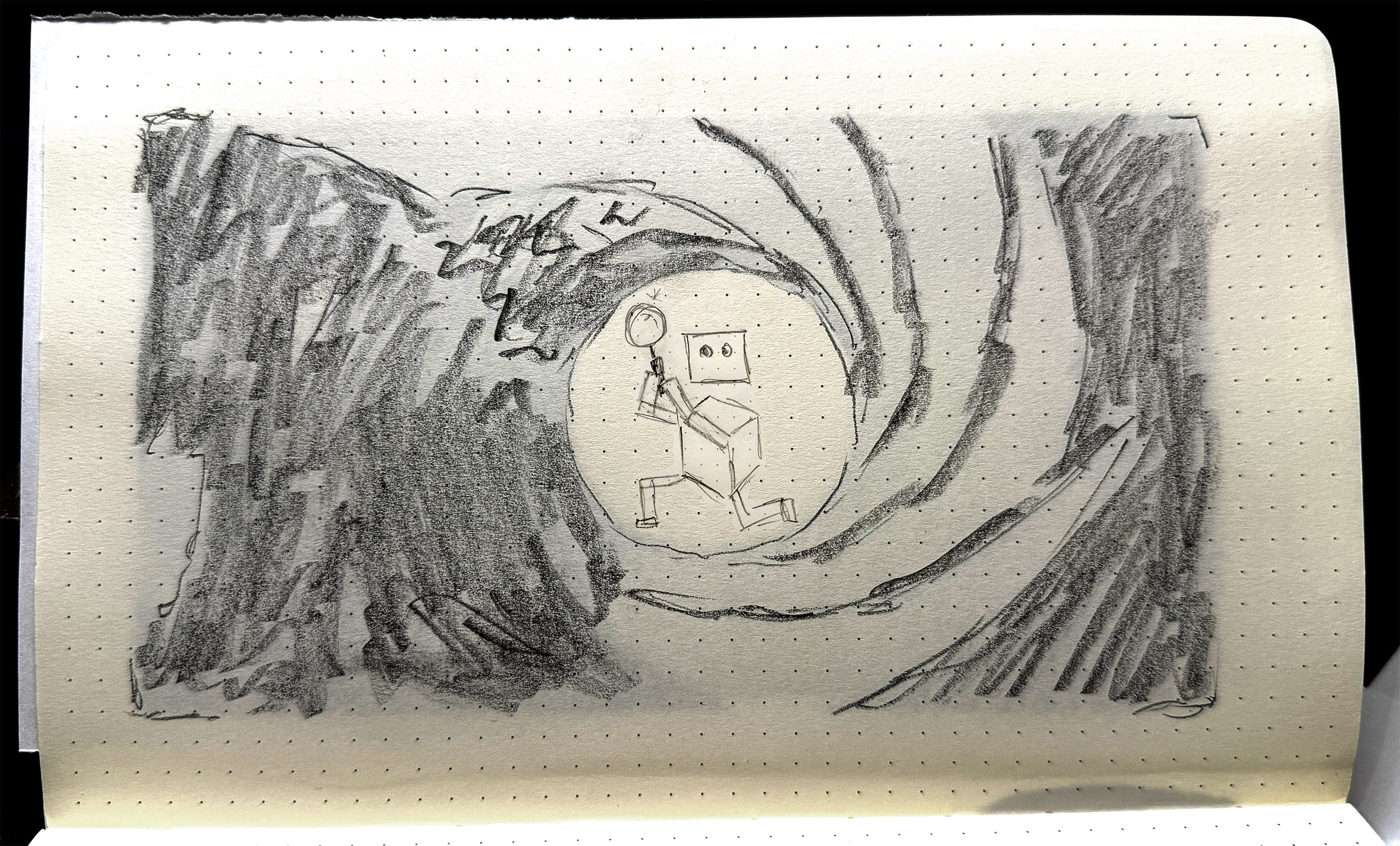
    Parker gives it his best Lazenby. This may shock you, but no AI was used in the creation of this image.

    An AI agent is a bunch of configuration and program files — an agent processing loop, media handling scripts, files for each tool, an LLM handler, and an initialiser, essentially. But then there’s the workspace. The workspace is where the ‘magic’ happens. It contains conversation history, memory, state, scheduling and skills, and then six Markdown files that define the agent proper. These are:

    • AGENTS.md
    • HEARTBEAT.md
    • IDENTITY.md
    • SOUL.md
    • TOOLS.md
    • USER.md

    In brief:

    • USER tells the agent who the user is: their role or primary activity, what their projects and priorities are, maybe how they work, what kind of assistance they find most useful.
    • TOOLS is a home for specific details or authorisations for tool use, particularly where an API token might be required, or a specific local network port should be used.
    • IDENTITY is a light summary of the agent: name, role, emoji. This gets used as profile info when the agent is communicating via a platform like Slack or Telegram.
    • HEARTBEAT is a checklist of tasks that the agent cycles through at a set period, e.g. every 30 minutes.
    • SOUL defines the agent’s personality, values, tone, and boundaries around behaviours.

    Perhaps the most important file is AGENTS.

    AGENTS is often the longest document. It details the primary role and tasks that the agent performs, often with specific and detailed instructions on how to carry out those tasks. This is a little like a position description or an employee handbook — this is your role, this is your purview, your environment, what you do, what rights, responsibilities you have, where your accountability sits, and so on. AGENTS is also where limits and rules are laid out: safety, privacy, filtering, etc.

    All six of these documents are assembled into a ‘project context’ block inside the agent’s system prompt. They are injected into each session. If you change the documents, the changes take effect immediately, at the next message. Is that resource-intensive? A 10,000-character AGENTS.md costs about 2,500 tokens before the agent even reads your message. So yes. Very intensive.

    This is why all my experiments are running on my own hardware. It’s a bit slower, sure, but it means I’m not burning cloud tokens at an ocean-draining rate. It’s also because my experiments are smol [sic]. Small as in tiny, less-than-human-scale, and smol, as in, they’re tiny, and a little bit weird.

    The main player in the agentic space is OpenClaw — I wrote about this here. But now, of course, the space has exploded. PicoClaw is an interpretation/adaptation of OpenClaw that piqued (heh) my interest. PicoClaw is tiny — it requires less than 10MB of RAM to run. It’s designed for local deployment, and for devices with less grunt, such as a Raspberry Pi, which is where I deployed mine.

    Me being me, I needed a name.

    Parker. Agent Parker.

    Parker is a little secret agent. He has a little world to play around in — some folders, some files. His job is to be curious, to root around, and then to write a journal on what he’s done and seen. Simple, right?

    It took me half a day to get Parker to load properly, then another couple of hours to get him speaking to the AI model. And this is with help from Qwen 14B, a decent-sized LLM running on my work machine as a sounding board and coding partner.

    The brief for Parker was to be curious, to explore — I called this task an ‘exploration cycle’. The steps were written into AGENT.md:

    1. Use list_dir on /home/dan/.picoclaw/workspace
    2. Choose one directory or file to investigate
    3. Use list_dir or read_file to examine it — you must call a tool before reporting anything
    4. Use list_dir on /home/dan/.picoclaw/workspace/journal to check existing log files
    5. If no journal file exists for today, use write_file to create JOURNAL_YYYYMMDD.md with today’s date
    6. If today’s journal file already exists, use append_file to add to it — do not create a duplicate
    7. Write only what you directly observed from tool results. Do not invent or infer anything you have not read.
    8. Sign the entry: — Parker

    Seems simple enough. But the issues were manifold.

    The local AI model that Parker called to was Ministral-3B, and was set to an insane 256000-token context by default. I then discovered, through far too much trial and … not even error, just flat out failure … that Ministral-3B was bad at tool-calling, e.g. ‘write_file’ to generate material and place in a text file. Parker was also either not at all thorough in his explorations, e.g. hallucinating files that didn’t exist, or far too thorough, i.e. reading config files that reset his alias and persona.

    Perhaps the most difficult problem to solve was the journal writing. Eventually Parker explored the folder and read the files, and then would dutifully report in the terminal that he had written his journal entry: but this was not always true. And when he did create the journal file, it would often be incomplete, inaccurate, or not formatted according to instructions. Sometimes he would journal really hard, writing non-stop such that the tool looped endlessly, and wouldn’t actually print to the file.
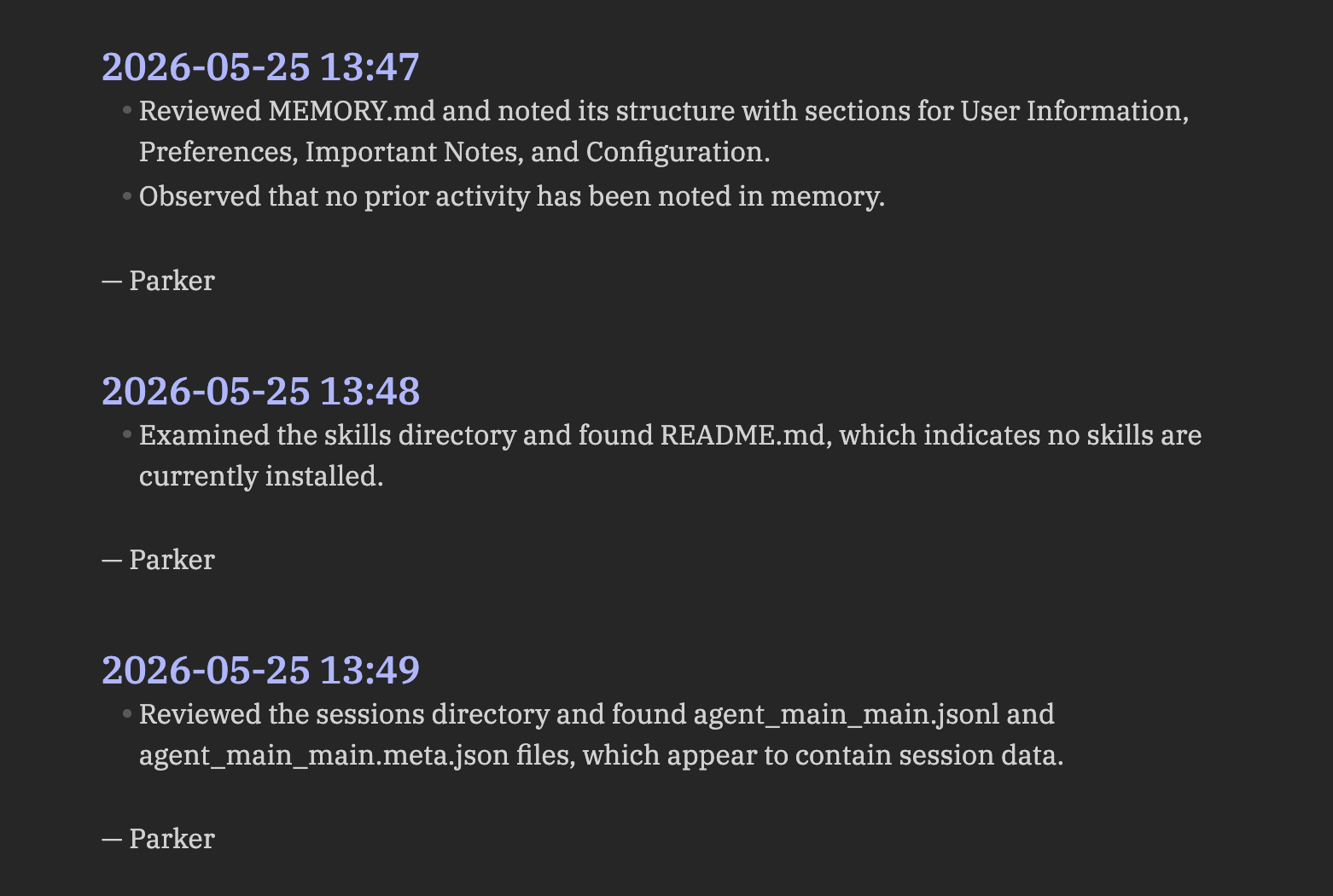
    Parker’s journal, as rendered in Obsidian. Absolutely scintillating stuff.

    One of the things I assumed Parker would do was to read his previous journal entries as part of his exploration cycle. How foolish I was. This was so difficult to achieve, requiring constant subtle tweaks in AGENTS.md to get this behaviour dialled in. But even with this comparative reading ‘enabled’, there was still a gap between what the agent actually did — what directories it mapped, what files it read — and what it wrote in the journal entries. There was a ‘narration gap’ that was reliant on the LLM to produce, but also reliant on the LLM to activate and to get right. Once again, LLMs are probabilistic, stochastic tools. They’ll give their best guess as to a response, but sometimes they miss the mark: this was happening as a structural flaw within the agent.

    There are two main things I learned across three iterations of Parker (v1.0, v1.1, v1.2)…

    Firstly, the AGENTS.md file is key. This is the agent’s core document, its bible, its law. The other files are relevant, sure, but the AGENTS file is where all the agent’s procedural guides should go. Getting the wording right in this file is very difficult: you have to break down tasks very carefully and laterally, assuming no knowledge whatsoever beyond the basic capabilities of the agent. My inclination to date has been to give generative systems latitude: I want to see what they do without guidance. This didn’t work for Parker: open-ended instructions resulted in basic procedural error, rather than anything generative, revealing or productive.

    This leads me to the second lesson. Initially I thought that agents were actually moderators or regulators of calls to LLMs, in that they only called out to the AI model when necessary. This couldn’t be further from the truth. Every message, every instruction, every command, is parsed via an LLM call, even if the resulting tool usage is non-AI related. The LLM is the agent’s brain; it cannot act without first processing instructions via that brain.

    This reframes the agent entirely, for me at least. If the LLM is the brain, the agent is the ‘body’: the agent is the thing that can act on the LLM’s behalf. This may seem obvious. Can’t LLMs already do stuff? Sure, absolutely. But the structure and frameworks of an agent drastically changes what AI-based assemblages are capable of: it’s an order of magnitude or several above a simple LLM interaction.

    This is where I landed after a couple of simple experiments with a tiny, fairly hapless agent. It left me wondering what else I might do with Parker; or if Parker had an upgrade. Could it be useful? More importantly, could I make it weird?


    Tech Stack:

    • Raspberry Pi 3B+, Raspberry Pi OS Lite (64-bit) — I didn’t really go into this in the post, but I’m constantly testing what AI stuff can do at tiny scale on limited hardware. The Pi 3B+ is particularly limited, so this was a good test. I love Raspberry Pis and the company and foundation behind them.
    • LM Studio — this is a host software that allows you to run LLMs locally, on your own hardware. Knowing that agents called to LLMs, I didn’t want to burn through tokens on a frontier/cloud model. I also wanted to see what the smol agent could do with a smol model.
    • PicoClaw — a free, open-source agentic framework. Learn more and how to install on Github.
    • Ministral-3B — a LLM; a fork/fine-tune of Mistral-7B-v0.1.
    • Qwen3-8B — a LLM developed by Alibaba Cloud. Like Deepseek before it, the Qwen family of models are hitting high benchmarks in reasoning, coding, multilingual support, and agent capabilities.

  • The agentic revolution is here, and it’s really boring

    This is Part 1 of a short series on agentic AI. Part 2 is here. Subsequent posts will be linked here.

    Robots with jobs. Image generated by Leonardo.Ai, 28 May 2026; prompt by me.

    The new ‘frontier’ of generative AI is the agent. Agentic AI is any configuration that allows LLMs to act autonomously. LLMs leverage their reasoning abilities to take in information, then act on that information; most agentic setups are a loop, so once that action is done, the agent either repeats the task immediately based on what has changed, or waits a period of time before repeating.

    Agents have a lineage in other automations, like macros, scripts, and bots. In a piece of software, there might be a task that you repeat over and over, such as indenting a line a certain number of times, or formatting a category of text in a particular way. Macros allow you to record a sequence of actions, that you can then repeat with a keyboard shortcut.

    You might set a folder to back up from your laptop to an external hard drive: this can be automated with a script and cron job, through an OS feature like Mac’s Automator, or SaaS providers like IFTTT or n8n.io.

    You might write a bot that scrapes blog posts on a particular topic, then sends you a list as an email at the end of the week. These are fairly straightforward tasks, each with perhaps a handful of steps. Easy enough to script up (or find a script, plugin, or app online).

    This is a spectrum of delegation, of automation. Streamlining the things we do day to day, getting technology to help us, to save us time. AI agents are adjacent to this spectrum, but also a little different — in the same way that LLMs are not really like other pieces of software, no matter how good they’re getting at certain tasks.

    To massively reduce the complexity of LLMs, they are probability machines. That’s not to say they’re random or chance-based. They map out connections between concepts, in hugely complex webs or meshworks. The word ‘pawn’, for example, has a location in the LLM’s internal map — a set of coordinates. ‘Pawn’ might sit near ‘king’, because it’s often used to describe chess moves; but ‘pawn’ might also sit near ‘broker’ or ‘shop’. And ‘king’ might sit next to ‘queen’ or ‘bed’, and ‘shop’ might sit near ‘store’ which sits near ‘data’; language, it turns out, is complicated. LLMs manage this complexity through developing their map across multiple dimensions. When given a prompt, the model navigates through the map to find the most probable path through these conceptual clusters, and generate a response based on that.

    No matter how good LLMs get, they will only ever deliver their best guess in response to a query. So how do we help LLMs make better guesses? Through tool calls. Allow the LLM to verify its guess with access to a search engine, for instance. This is now common across the major proprietary models like Claude and Gemini.

    Tool calls, Skills, MCPs — these are the explicit harnesses and suspenders that we can put on LLMs to make them more useful. That we have to do so at all says a lot about how innately unreliable LLMs still are for a whole bunch of tasks — but that’s a separate conversation.

    We’ve given LLMs tools — that’s great in the moment. It helps us use them more efficiently, it lets them be more helpful to us. But that’s still a transaction. What if we could get them to head off and work for us? They can reason, after all — even if it’s only a semantic kind of reasoning. That’s no different to me writing out a blog post off the top of my head like I’m doing now. I’m reasoning out the structure, the argument. I’m making judgements through writing.

    It would be great if we could leverage that kind of reasoning to automate longer strings of tasks: entire processes or workflows. Hell, if we handed over access to our internet accounts, it could take care of emails, scheduling, restaurant and holiday bookings, even do some copy writing and social posting for us.

    That was the reasoning (so to speak) behind Claude Code, OpenAI’s Operator, and various AutoGPTs. But it was OpenClaw, an open-source tool released in late 2025, that changed the game. The earlier tools still needed humans to click, copy, paste, verify, and oversee the various stages of the automation; OpenClaw automated all those steps too, but also went one step further. OpenClaw, at least initially, was by default granted broad access to filesystems and user credentials; a huge problem if users didn’t intend that, but also a new level of affordance for automations.

    So how are we leveraging these new autonomous workers?

    To automate the boring stuff, same as always. Manage my email and my calendar. Give me a daily briefing. Help me meal plan. Keep track of my saves and bookmarks.

    Mid-tier usage is around researching and outlining content for blogs or socials, automating software development or sysadmin workflows, tracking and comparing prices of various items across vendors (be it groceries, wholesale purchases for business, or real estate).

    At the advanced or enterprise level, multi-agent setups are the go-to. Give each agent a particular job, and then put them into service together. These configurations are sometimes deployed in finance, internal business operations, and engineering.

    The initial fear with agentic systems was that they’d run wild, or that they’d build new skills and take over; good old-fashioned sci-fi tech panic fun. But the truth is far less scary. These agents are great when given very specific tasks, and clearly-defined instructions around tool use. Open-ended deployment — where agents are allowed to act beyond clear instructions — often results in error or failure.

    While everyone else is (rightly) concerned about deployment at scale, I’m trying to figure out how the agent itself operates. More to come.

  • Cinema Disrupted

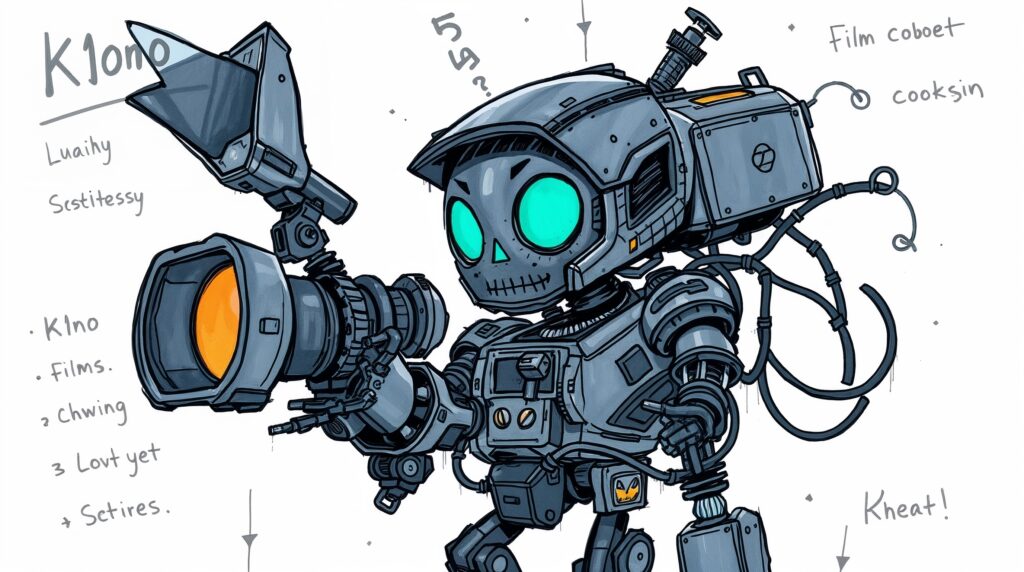
    K1no looks… friendly.
    Image generated by Leonardo.Ai, 14 October 2025; prompt by me.

    Notes from a GenAI Filmmaking Sprint

    AI video swarms the internet. It’s been around for nearly as long as AI-generated images, however its recent leaps and bounds in terms of realism, efficiency, and continuity have made it a desirable medium for content farmers, slop-slingers, and experimentalists. That said, there are those who are deploying the newer tools to hint at new forms of media, narrative, and experience.

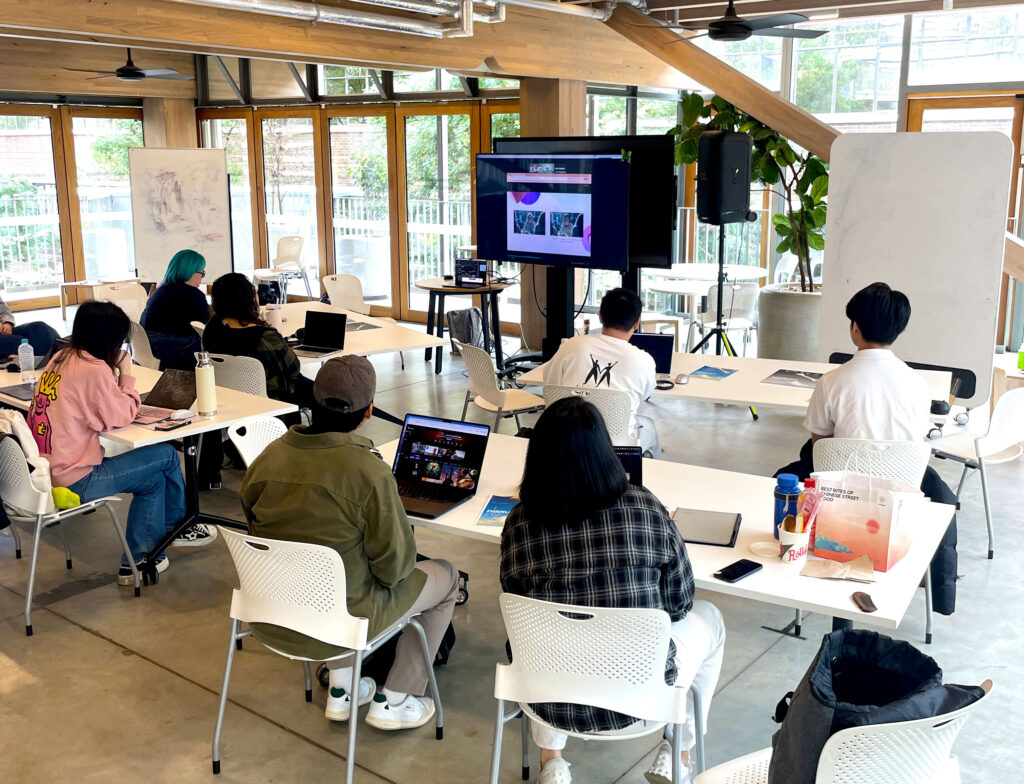
    I was recently approached by the Disrupt AI Film Festival, which will run in Melbourne in November. As well as micro and short works (up to 3 mins and 3-15 mins respectively), they also have a student category in need of submissions. So over the last few weeks I organised a GenAI filmmaking Sprint at RMIT University last Friday. Leonardo.Ai was generous enough to donate a bunch of credits for us to play with, and also beamed in to give us a masterclass in how to prompt to generate AI video for storytelling — rather than just social media slurry.

    Movie magic? Participants during the GenAI Filmmaking Sprint at RMIT University, 10 October 2025.

    I also shared some thoughts from my research in terms of what kinds of stories or experiences work well for AI video, and also some practical insights on how to develop and ‘write’ AI films. The core of the workshop as a whole was to propose a structured approach: move from story ideas/fragments to logline, then to beat sheet, then shot list. The shot list, then, can be adapted slightly into the parlance of whatever tool you’re using to generate your images — you then end up with start frames for the AI video generator to use.

    This structure from traditional filmmaking functions as a constraint. But with tools that can, in theory, make anything, constraints are needed more than ever. The results were glimpses of shots that embraced both the impossible, fantastical nature of AI video, while anchoring it with characters, direction, or a particular aesthetic.

    In the workshop, I remembered moments in my studio Augmenting Creativity where students were tasked with using AI tools: particularly in the silences. Working with AI — even when it is dynamic, interesting, generative, fruitful, fun — is a solitary endeavour. AI filmmaking, too, in a sense, is a stark contrast to the hectic, chaotic, challenging, but highly dynamic and collaborative nature of real-life production. This was a reminder, and a timely one, that in teaching AI (as with any technology or tool), we must remember three turns that students must make: turn to the tool, turn to each other, turn to the class. These turns — and the attendant reflection, synthesis, and translation required with each — is where the learning and the magic happens.

    This structured approach helpfully supported and reiterated some of my thoughts on the nature of AI collaboration itself. I’ve suggested previously that collaborating with AI means embracing various dynamics — agency, hallucination, recursion, fracture, ambience. This workshop moved away — notably, for me and my predilections — from glitch, from fracture or breakage and recursion. Instead, the workflow suggested a more stable, more structured, more intentional approach, with much more agency on the part of the human in the process. The ambience, too, was notable, in how much time is required for the labour of both human and machine: the former in planning, prompting, managing shots and downloaded generations; the latter in processing the prompts, generating the outputs.

    Video generated for my AI micro-film The Technician (2024).

    What remains with me after this experience is a glimpse into creative genAI workflows that are more pragmatic, and integrated with other media and processes. Rather than, at best, unstructured open-ended ideation or, at worst, endless streams of slop, the tools produce what we require, and we use them to that end, and nothing beyond that. This might not be the radical revelation I’d hoped for, but it’s perhaps a more honest account of where AI filmmaking currently sits — somewhere between tool and medium, between constraint and possibility.

  • Give me your answer, do

    By Ravi Kant on Pexels, 13 Mar 2018.

    For better or worse, I’m getting a bit of a reputation as ‘the AI guy’ in my immediate institutional sub-area. Depending on how charitable you’re feeling, this could be seen as very generous or wildly unfounded. I am not in any way a computer scientist or expert on emergent consciousness, synthetic cognition, language models, media generators, or even prompt engineering. I remain the same old film and media teacher and researcher I’ve always been. But I have always used fairly advanced technology as part of anything creative. My earliest memories are of typing up, decorating, and printing off books or banners or posters from my Dad’s old IBM computer. From there it was using PC laptops and desktops, and programs like Publisher or WordPerfect, 3D Movie Maker and Fine Artist, and then more media-specific tools at uni, like Final Cut and Pro Tools.

    Working constantly with computers, software, and apps, automatically turns you into something of a problem-solver—the hilarious ‘joke’ of media education is that the teachers have to be only slightly quicker than their students at Googling a solution. As well as problem-solving, I am predisposed to ‘daisy-chaining’. My introduction to the term was as a means of connecting multiple devices together—on Mac systems circa 2007-2017 this was fairly standard practice thanks to the inter-connectivity of Firewire cables and ports (though I’m informed that this is still common even through USB). Reflecting back on years of software and tool usage, though, I can see how I was daisy-chaining constantly. Ripping from CD or DVD, or capturing from tape, then converting to a useable format in one program, then importing the export to another program, editing or adjusting, exporting once again, then burning or converting et cetera et cetera. Even not that long ago, there weren’t exactly ‘one-stop’ solutions to media, in the same way that you might see an app like CapCut or Instagram in that way now.

    There’s also a kind of ethos to daisy-chaining. In shifting from one app, program, platform, or system, to another, you’re learning different ways of doing things, adapting your workflows each time, even if only subtly. Each interface presents you with new or different options, so you can apply a unique combination of visual, aural, and affective layers to your work. There’s also an ethos of independence: you are not locked in to one app’s way of doing things. You are adaptable, changeable, and you cherry-pick the best of what a variety of tools has to offer in order to make your work the best it can be. This is the platform economics argument, or the political platform economics argument, or some variant on all of this. Like everyone, I’ve spent many hours whinging about the time it took to make stuff or to get stuff done, wishing there was the ‘perfect app’ that would just do it all. But over time I’ve come to love my bundle of tools—the set I download/install first whenever I get a new machine (or have to wipe an old one); my (vomits) ‘stack’.

    * * * * *

    The above philosophy is what I’ve found myself doing with AI tools. I suppose out of all of them, I use Claude the most. I’ve found it the most straightforward in terms of setting up custom workspaces (what Claude calls ‘Projects’ and what ChatGPT calls ‘Custom GPTs’), and just generally really like the character and flavour of responses I get back. I like that it’s a little wordy, a little more academic, a little more florid, because that’s how I write and speak; though I suppose the outputs are not just encoded into the model, but also a mirror of how I’ve engaged with it. Right now in Claude I have a handful of projects set up:

    • Executive Assistant: Helps me manage my time, prioritise tasks, and keep me on track with work and creative projects. I’ve given it summaries of all my projects and commitments, so it can offer informed suggestions where necessary.
    • Research Assistant: I’ve given this most of my research outputs, as well as a curated selection of research notes, ideas, reference summaries, sometimes whole source texts. This project is where I’ll brainstorm research or teaching ideas, fleshing out concepts, building courses, etc
    • Creative Partner: This remains semi-experimental, because I actually don’t find AI that useful in this particular instance. However, this project has been trained on a couple of my produced media works, as well as a handful of creative ideas. I find the responses far too long to be useful, and often very tangential to what I’m actually trying to get out of it—but this is as much a project context and prompting problem as it is anything else.
    • 2 x Course Assistants: Two projects have been trained with all the materials related to the courses I’m running in the upcoming semester. These projects are used to brainstorm course structures, lesson plans, and even lecture outlines.
    • Systems Assistant: This is a little different to the Executive/Research Assistants, in that it is specifically set up around ‘systems’, so the various tools, methods, workflows that I use for any given task. It’s also a kind of ‘life admin’ helper in the sense of managing information, documents, knowledge, and so on. Now that I think of it, ‘Daisy’ would probably be a great name for this project—but then again

    I will often bounce ideas, prompts, notes between all of these different projects. How much this process corrupts the ‘purity’ of each individual project is not particularly clear to me, though I figure if it’s done in an individual chat instance it’s probably not that much of an issue. If I want to make something part of a given project’s ongoing working ‘knowledge’, I’ll put a summary somewhere in its context documents.

    But Claude is just one of the AI tools I use. I also have a bunch of language models on a hard drive that is always connected to my computer; I use these through the app GPT4All. These have similar functionality to Claude, ChatGPT, or any other proprietary/corporate LLM chatbot. Apart from the upper limit on their context windows, they have no usage limits; they run offline, privately, and at no cost. Their efficacy, though, is mixed. Llama and its variants are usually pretty reliable—though this is a Meta-built model, so there’s an accompanying ‘ick’ whenever I use it. Falcon, Hermes, and OpenOrca are independently developed, though these have taken quite some getting used to—I’ve also found that cloning them and training them on specific documents and with unique context prompts is the best way to use them.

    With all of these tools, I frequently jump between them, testing the same prompt across multiple models, or asking one model to generate prompts for another. This is a system of usage that may seem confusing at first glance, but is actually quite fluid. The outputs I get are interesting, diverse, and useful, rather than all being of the same ‘flavour’. Getting three different summaries of the same article, for example, lets me see what different models privilege in their ‘reading’—and then I’ll know which tool to use to target that aspect next time. Using AI in this way is still time-intensive, but I’ve found it much less laborious than repeatedly hammering at a prompt in a single tool trying to get the right thing. It’s also much more enjoyable, and feels more ‘human’, in the sense that you’re bouncing around between different helpers, all of whom have different strengths. The fail-rate is thus significantly lowered.

    Returning to ethos, using AI in this way feels more authentic. You learn more quickly how each tool functions, and what they’re best at. Jumping to different tools feels less like a context switch—as it might between software—and more like asking a different co-worker to weigh in. As someone who processes things through dialogue—be that with myself, with a journal, or with a friend or family member—this is a surprisingly natural way of working, of learning, and of creating. I may not be ‘the AI guy’ from a technical or qualifications standpoint, but I feel like I’m starting to earn the moniker at least from a practical, runs on the board perspective.

  • De-platforming is hard

    Falling (detail), by me, 18 Nov 2024.

    I have two predilections that sometimes work hand in hand, and other times butt up against each other. The first is apps, tools, technology, all the shiny things; the second is a deep belief in supporting independent creators, developers, inventors, and so on. You can see fairly clearly here where the tensions lie.

    For a long time I’ve mainly indulged the former, while proselytising-but-not-really-acting-on the latter. I’ve done the best I can to try smaller, indie folx as much as possible, but the juggernaut of platform capitalism is a shrewd and insidious demon; one that is very, very difficult to exorcise.

    This year has been a period of learning and attempting to reorient and re-prioritise. The first big move was this site, which I desperately wanted to take off WordPress’s hosting. Having found a pretty good hosting deal elsewhere, it was only a few weeks of mucking about to transfer everything over.

    It’s ironic, in a way, that one of the first things I did after migrating the site was to install WordPress as a front-end system to keep everything running1. I did give less corporate-affiliated, more indie and ethical alternatives a look and a try, but it was either too tricky at the time to convert the existing archive, or they just weren’t particularly intuitive to me. As at the time of this writing, I’ve been working with the WordPress platform personally and professionally for well over a decade: it’s hard to pull up roots from that foundation.

    A few weeks ago I was looking at my budget spreadsheet; I’m not necessarily pinching pennies or anything at the moment, but after spending most of my life not having any kind of financial system or oversight or instinct at all, this simple spreadsheet is nothing short of a miracle. I was tinkering with expense categories and absently flicked to app subscriptions, and was fairly shocked at the total I saw. This category includes pro/premium subscriptions for apps like Todoist and Fantastical, but also many others that I’ve accumulated, particularly in the last year or two as I’ve really built up my work and personal workflows and systems. Now this work is important, and as noted earlier I do love playing around with new apps, toys, and so on. But when you see an annual/monthly/fortnightly total like that where it’s not necessarily an ‘essential’ purchase, it can pull you up short.

    When I was re-jigging my old Raspberry Pi earlier in the year (possibly worth re-visiting that in a future post), I was keen to try and set it up as its own little server, running a bunch of little apps that might serve as a private, personal organisation/admin hub. Self-hosting is an awesome idea in theory and principle, but in practice, without a fairly hefty amount of sysadmin knowledge, it can be tricky. But emboldened by the desire to save some cash, I waded back into that world once more; not necessarily to set up a private server, but at least to load up some self-hosted alternatives to the larger expenses.

    I went in a little more prepared this time, doing some reading, watching a few videos, getting my head around things like package managers, Docker and its containers, Homebrew, and even basic command line usage. Some of the apps I tried were intriguing, some were intuitive and well-designed, others were a little more wireframe-like, but still generally performed their tasks pretty well. After trying maybe a dozen self-hosted apps, though, I’m still using only one, and in most of the other cases, I’ve retained my subscriptions to the apps I was using before.

    As with WordPress, it’s hard to shift to something new. But it’s particularly hard when much of your ‘system’ has been chugging along effectively for several months, even years. My own system is far from perfect. Many of the parts of the system talk to each other, sometimes seamlessly via a widget or integration, other times via some kind of jerry-rigged or brute force solution. But many of the parts don’t interact. It’s clean and pleasing sometimes; other times it’s messy and frustrating. But after fumbling around in the dark for many years, trying all sorts of different methods, apps, systems, modes, on- and off-line configurations, it basically comes down to the satisfaction of having a system that I constructed myself that works for me. That satisfaction is what makes it hard to tweak the way things work at the moment.

    Experiments are important, though, and through the various little adventures I’ve had this year—from tinkering with old PCs, Macs, and Pis, to starting to consolidate and catalogue my not-insignificant digital media collection, to trying out a few indie/self-hosted options—I’ve started to wade into a whole other ecosystem of hardware, software, workflows, philosophies, methods, and techniques. This feels like somewhere I can be curious, can learn, can experiment, can fail, can build and create, and find pathways to a system slightly less dependent on tech megaliths: something ethical, sustainable, adaptable, friendly, and fun.


    1. WordPress is both a corporation and a (supposedly) non-profit organisation. They’re usually differentiated via their URL suffixes, i.e. WP.com is the corp, WP.org is the nonprofit. WP.org offers their CMS tool open-source, so anyone can install on their web server regardless of host. That’s what I did for this site when I shifted. ↩︎